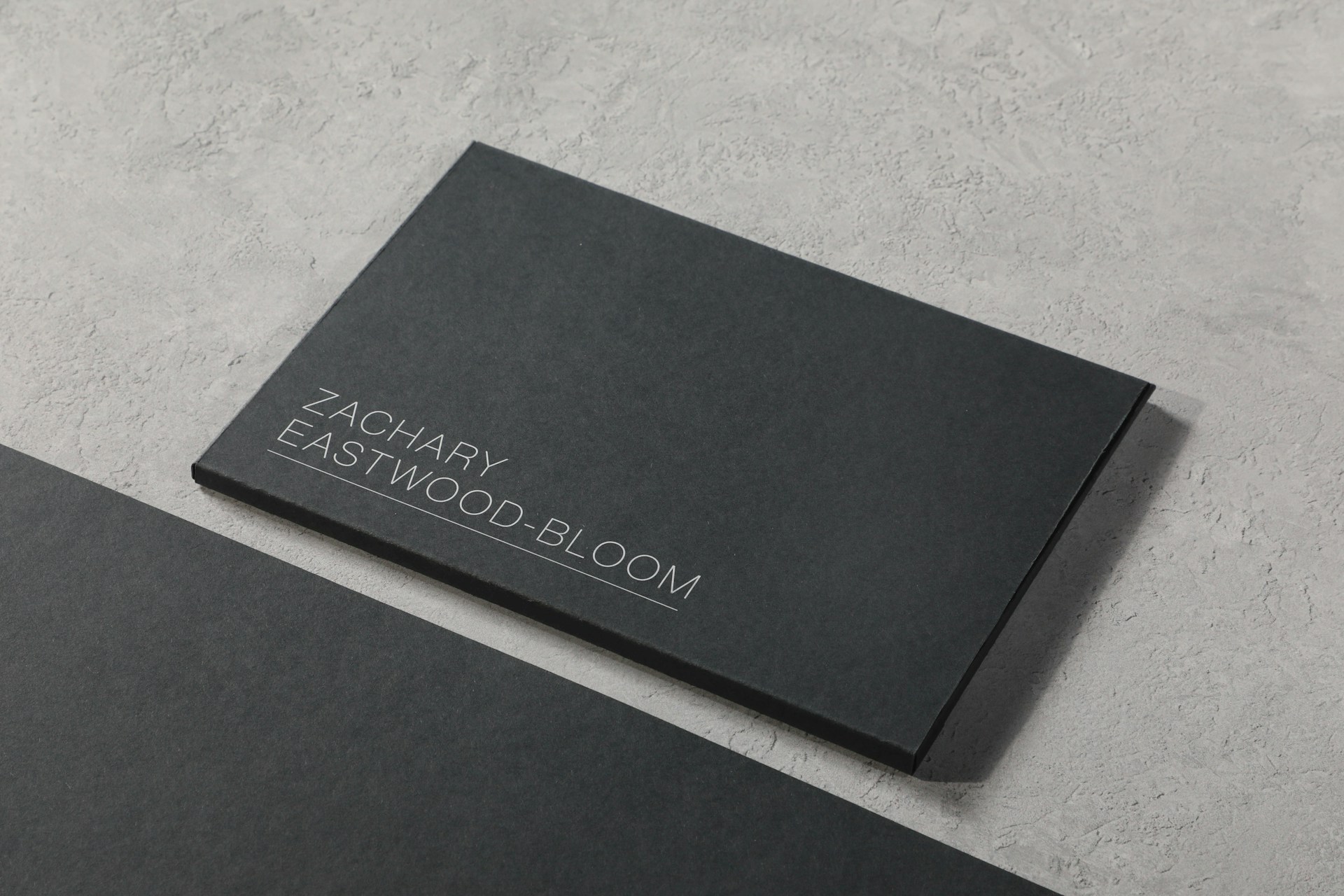
In 2026, a business card remains one of the most effective tools for creating a lasting real-world impression. Digital profiles and LinkedIn matter, yet nothing fully replaces the physical act of handing someone a well-designed card at a conference, client meeting, or networking event. The difference today is that you no longer need a graphic designer or hours of trial-and-error. AI-powered tools now generate professional, print-ready designs in minutes from a simple description of your business, brand preferences, and contact details.
This updated guide focuses exclusively on tools that deliver genuine value in 2026. I evaluated them on AI generation quality, ease of use for non-designers, export quality (especially print-ready PDFs at proper resolution with bleed), brand consistency features, free-plan usefulness, pricing transparency, and real-world results when cards go to a printer. The emphasis is practical: which platforms save time, produce cards people actually keep, and fit different budgets and workflows.
If you already use AI for logos or broader branding, several of these connect naturally. Related resources on latechpost.com, such as the Looka comparisons in AI logo maker reviews and the best AI tools for branding overview, provide useful context for building a full visual identity.
Why AI Business Card Makers Matter in 2026
Traditional design software still works, but the barrier has dropped sharply. Modern AI handles layout hierarchy (name and title dominant, contact details secondary), suggests industry-appropriate styles, applies brand colors and fonts automatically, and produces multiple variations so you choose rather than invent from scratch. Many support QR codes linking to digital profiles, dual-sided designs, and easy updates without full redesigns.
Key criteria for this list:
- Strength of AI generation or intelligent assistance
- Quality of templates or starting points
- Editing simplicity for non-designers
- Export reliability (300 DPI+, PDF with bleed preferred)
- Brand kit or consistency tools
- Free tier practicality versus paid upgrades
- Real printing pathway or file readiness
The seven tools below stood out for fame, reliability, and actual value in recent 2026 evaluations.
Quick Comparison of the Top 7 AI Business Card Makers
| Tool | Best For | AI Strength | Free Plan | Starting Paid / Print Price (approx.) | Standout Feature |
|---|---|---|---|---|---|
| Canva | Most users & teams | Strong (Magic Studio) | Generous | ~$12–15/mo Pro | Templates + integrated print |
| Adobe Express | Clean free exports & Adobe users | Good generative features | Excellent | ~$10/mo Premium | Watermark-free free exports |
| Fotor | Prompt generation + photo tools | Direct AI generation | Available | ~$9/mo Pro | AI image tools in same workflow |
| Visme | Brand-consistent teams | Solid prompt generator | Limited credits | ~$12/mo Starter | Brand kit + broader visual content |
| Looka | Full brand kits including cards | Strong AI logo-to-kit | Design free, pay to download | $65 premium logo / $96/yr Brand Kit | Matching cards from logo + 300+ assets |
| VistaPrint | Design + reliable low-cost print | Template + AI logo tools | Design free | ~$10 for 50 standard cards | Seamless print-and-ship pathway |
| MOO | Premium feel & unique backs | Template-driven | Design free | From ~$23 for 50 | Printfinity (different back per card) |
Prices and offers change—always confirm current rates and print specs. Free plans typically allow full design and preview; high-resolution or commercial downloads and physical printing usually require payment.
1. Canva – Best Overall for Most People and Teams
Canva continues to be the strongest all-around recommendation. Its Magic Studio AI features generate layout suggestions, text variations, background removal, and brand-kit application with high consistency. The business-card template library is vast and frequently updated with modern professional options across industries.
Strengths include an intuitive drag-and-drop editor that beginners master quickly, a Brand Kit that locks colors, fonts, and logos, easy QR code addition, double-sided designs, and direct ordering through Canva Print in supported regions. Export options deliver high-resolution PDFs suitable for professional printers.
Limitations: Some premium assets require Pro. Pure one-shot prompt generation is more assistive than fully generative compared with specialized tools.
Best for freelancers, small businesses, and marketing teams already using Canva for social graphics or presentations. One platform handles cards plus related collateral efficiently. For complementary presentation needs, the best AI presentation makers guide on latechpost.com is worth reviewing.
Pricing: Free plan is highly usable. Canva Pro runs approximately $12–15 per month (lower with annual billing) and unlocks the full AI suite.
2. Adobe Express – Best Free-Tier Experience and Reliable Exports
Adobe Express brings generative AI into a lightweight browser editor that feels familiar to anyone in the Adobe ecosystem. Prompt-based starting points, strong typography and color tools, background removal, and clean exports are highlights. The free plan often allows watermark-free downloads of usable files.
Strengths: Excellent free export quality, continuity with Adobe fonts and assets, reliable PDF output for print shops. Editing is straightforward for beginners.
Limitations: More template-and-assist than pure generative from a blank prompt. Advanced brand controls improve on paid plans.
Best for creators who prioritize clean free downloads or already work with Adobe tools. Ideal when print-ready cleanliness and zero cost for basic use matter most.
Pricing: Free tier is strong. Premium is around $10 per month.
3. Fotor – Best for Prompt-Driven Generation Combined with Photo Editing
Fotor’s AI business card generator accepts descriptions of style, industry, colors, and elements, then produces designs you can refine further. Because Fotor is a capable photo-editing platform, background removal, AI image generation for custom elements, and enhancement tools live in the same workflow—especially useful for headshots or custom graphics.
Strengths: Direct text-to-card generation, integrated AI image and photo tools that reduce app-switching, high-resolution download options.
Limitations: Free plan often includes watermarks or limited credits. Print integration is less seamless than dedicated print platforms.
Best for users who want generative freedom and already edit photos or create visual assets. Strong choice for creative or photo-heavy cards.
Pricing: Free with limitations. Pro plans start around $9 per month (lower annually).
4. Visme – Best for Teams Needing Brand Consistency Across Content
Visme’s AI business card generator works from text prompts and style suggestions, then moves into a full editor with robust brand-kit support. Because Visme also powers presentations, reports, and other visual content, it excels when cards must match broader marketing materials.
Strengths: Brand Wizard and kit features enforce consistency, solid print-ready PDF exports, AI credits that scale with plans.
Limitations: Free plan has limited AI credits. The interface can feel fuller (and slightly heavier) than pure card-focused tools.
Best for marketing teams, agencies, or companies already creating presentations and reports in Visme. Cards become part of a larger consistent system.
Pricing: Free with limited credits. Starter plans begin around $12 per user per month.
5. Looka – Best for Complete Brand Kits That Include Professional Cards
Looka is a well-known AI logo and brand-identity platform that has served millions of small businesses. You enter your company name, industry, and style preferences; the AI generates logo options. Once you select one, the Brand Kit automatically produces matching assets—including professional business card templates—along with social graphics, email signatures, letterheads, invoices, and brand guidelines.
Strengths: True end-to-end value. Cards inherit your logo, colors, and fonts automatically for consistency. Real-time mockups let you preview cards before committing. Vector files and commercial rights on paid tiers. One-time logo purchase or annual Brand Kit subscription.
Limitations: Designing and previewing is free, but downloading usable files requires payment. The $20 basic logo package is low-resolution; the $65 Premium tier (vectors + ownership) is the practical starting point for print.
Best for founders and small businesses building a full visual identity from scratch. If you need a logo plus matching cards and other assets that look like they belong together, Looka delivers genuine efficiency. It pairs well with the branding tool discussions on latechpost.com.
Pricing: Free to design and preview. Premium logo package ~$65 one-time; Brand Kit ~$96 per year (adds 300+ matching templates including cards).
6. VistaPrint – Best Famous Design-to-Print Pathway with Real-World Value
VistaPrint is one of the most recognized names in business cards for a reason: it combines a free online design editor with a reliable, affordable print-and-ship service. Templates cover industries, shapes, and styles; you can upload your own artwork or use the editor to customize. Recent AI logo tools help generate matching brand elements that flow into cards. 3D previews, QR code support, specialty finishes, and clear print specifications (including safe zones and bleed) make the process predictable.
Strengths: No subscription required for design. Extremely competitive print pricing (often around $10 for 50 standard cards on promotions). Wide paper and finish options. Design and order happen in one continuous flow, reducing export errors. Templates already incorporate proper bleed and safe areas.
Limitations: Pure generative AI for layouts is lighter than dedicated AI generators—more template customization with AI assistance. Design tools are functional rather than the most creative.
Best for anyone who primarily needs physical cards in hand quickly and affordably. Famous for a reason: it solves the complete problem from idea to delivered product with transparent specs.
Pricing: Design free. Print starts low (promotional 50-card packs often near $10); final cost depends on quantity, paper, and finishes.
7. MOO – Best Premium Feel and Unique Back Designs
MOO is renowned for high-quality paper stocks and distinctive features. Its online designer lets you start from professional templates or upload artwork. The standout is Printfinity: the front of every card can be identical while the back varies (up to 50 different designs in one pack)—ideal for showcasing products, portfolio pieces, or personalized messages. Premium papers (Original, Cotton, Super, Luxe) and special finishes deliver a tactile experience that stands out.
Strengths: Superior paper feel and print quality. Printfinity for creative flexibility. Clean templates and straightforward customization. Double-sided full-color printing standard.
Limitations: Higher starting price than mass-market options. AI generation is more assistive than fully prompt-driven.
Best for brands that want cards people notice and keep because of the physical quality and thoughtful design. Excellent when first impressions and premium positioning matter.
Pricing: Design free. 50 cards typically start around $23 depending on size, paper, and finishes.
How to Choose the Right Tool
Match the tool to your priority:
- Everyday ease and ecosystem → Canva
- Strongest free usable exports → Adobe Express
- Prompt generation + photo tools → Fotor
- Team brand consistency across content → Visme
- Logo + full matching brand kit including cards → Looka
- Lowest-friction path to physical cards → VistaPrint
- Premium tactile quality and variable backs → MOO
Also weigh: Do you need integrated printing? Is collaboration or frequent updates important? Will you order small test runs first? Always design with your real logo, name, and details, then check the free plan thoroughly.
Practical Tips for Stronger Results with Any Tool
Craft better prompts or starting points: include industry, desired tone (minimalist, bold, elegant, modern), preferred colors, and must-have elements (“QR code to LinkedIn, double-sided, clean sans-serif”). Upload your logo early so the system can match it. Prioritize hierarchy—name and title should dominate. Verify print specs: 300 DPI, proper bleed (commonly 0.125 inches), and safe zones so text stays clear of edges. Order a small test batch or use mockups before large runs.
Add a QR code or digital path—many professionals expect one. Use the back productively: a short tagline, social handles, product showcase (especially with MOO Printfinity), or booking link. Keep information scannable and updatable.
Trends Shaping AI Business Cards in 2026 and Beyond
Expect tighter physical-digital links (dynamic QR codes that update without reprinting), stronger multi-language support, and AI that learns brand rules more deeply. Collaboration features for team approval are improving. Sustainability options (recycled stocks, plantable cards) are easier when design tools connect directly to printers. Platforms that generate consistent brand kits—from logo through cards and social assets—continue to gain ground because they reduce fragmentation.
For founders assembling a complete visual system, pairing a strong card tool with the AI logo and branding resources on latechpost.com creates coherence without a full design team.
Final Recommendation
Most people should begin with Canva—it balances AI assistance, templates, ease, free value, and optional printing better than alternatives for general use. When you need physical cards fast and affordably with a trusted print path, VistaPrint is the practical famous choice. For building a complete matching brand identity that includes cards, Looka delivers clear value. Adobe Express wins on free export quality, Fotor on generative-plus-photo workflows, Visme on team consistency, and MOO on premium tactile results.
The best card is the one you actually print and hand out. Choose a tool that matches your needs, generate a few strong options today, refine the best one, and order a small batch. In a noisy digital world, a thoughtful physical card still cuts through—and these tools make creating one faster and more accessible than ever.
Test the free experiences with your real details, align the platform to your workflow, and refresh cards as your brand evolves. The technology is ready; the impression is yours to make.




Be First to Comment