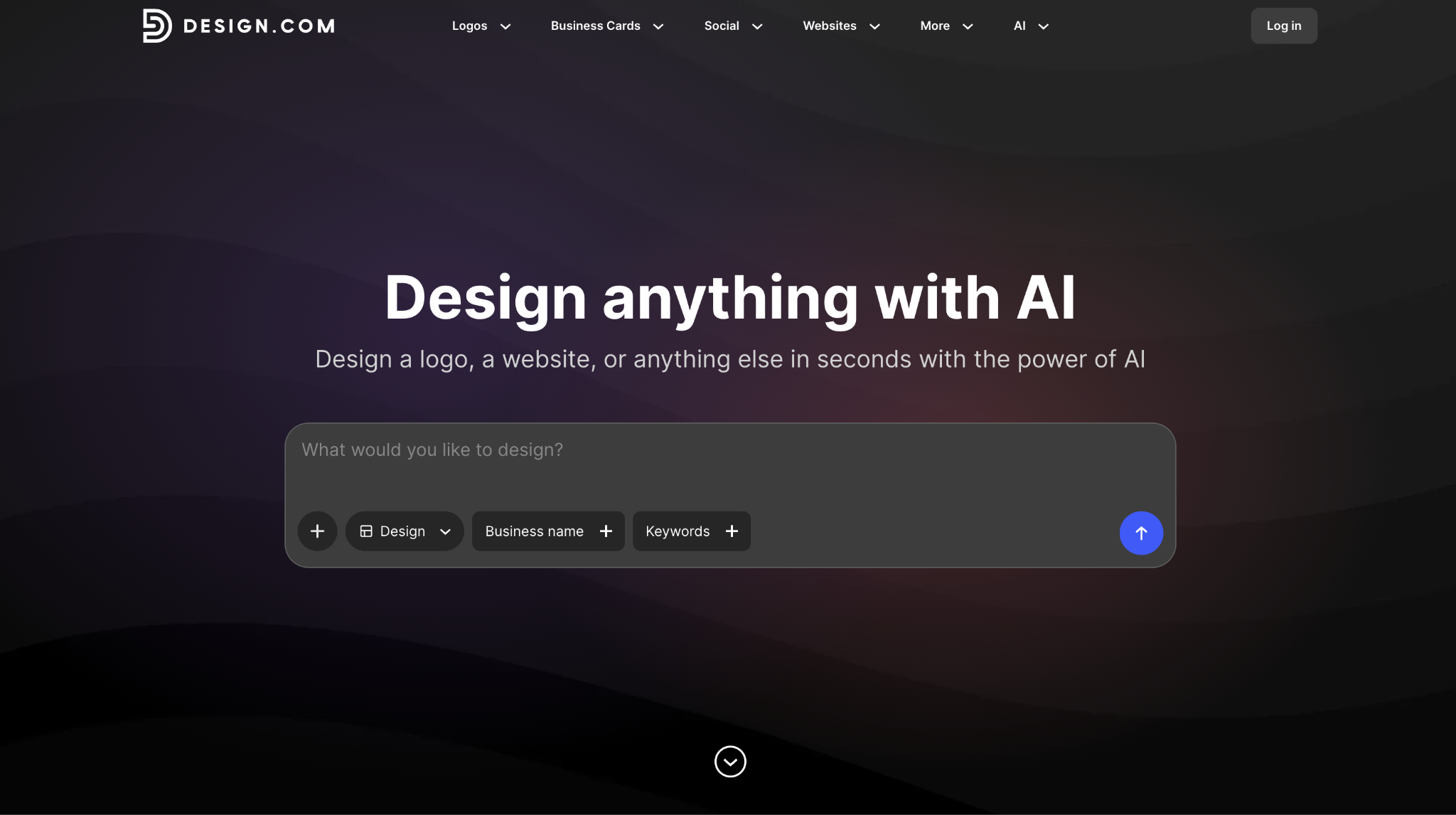
A professional logo used to mean hiring a designer, paying hundreds of dollars, and waiting days for a first concept. Online logo makers have changed that, and Design.com is built around the idea that anyone can go from a business name to a finished logo in minutes. The question is whether the results are good enough to put on a website, a storefront, or a business card.
To find out, we tested Design.com from start to finish by generating concepts, editing a logo, downloading files, and setting up matching brand assets. We also looked at its templates, AI tools, pricing, and support.
What Is Design.com?
Design.com is an online logo maker and branding platform with an AI logo maker, a visual editor, and 50+ design tools. It offers 500,000+ logo templates, and you can design and download a logo for free, then upgrade for $3/month (billed annually) to access extra design tools and matching brand assets. It describes itself as the #1 logo company in the world and holds a 4.7 rating on Trustpilot from 4,000+ reviews.
Who Is Design.com Best For, and Who Should Skip It?
Best for:
- Startups and small business owners who need a professional logo fast, without a designer’s budget.
- Freelancers and creators launching a personal brand.
- Non-technical users who want instant branding without a learning curve.
- Anyone who wants a logo plus matching business cards, social posts, and a website in one place.
Not for:
- People who need a native desktop or mobile app, since Design.com runs in the browser.
- Developers or teams that need deep technical integrations.
Is Design.com Easy to Use?
Yes. Design.com is built so that anyone can create a professional logo with no design skills. You enter a business name and optional keywords, and the platform generates logo concepts adapted to your industry. A law firm and a bakery get different results.
You can narrow results by selecting style and category preferences, such as minimal and modern or bold and traditional. That cuts down scrolling. You can also save favorites to a shortlist and create a voting poll to share options with colleagues and friends for feedback.
Are Design.com’s Logo Templates Good?
Yes. Design.com’s library holds 500,000+ logo templates and 1 million+ design templates across industries, created by professional designers. The library includes 750+ fonts (525+ of them exclusive) and 62,000+ custom vector shapes. Logos in the library are exclusive to Design.com.
To test how the AI logo generator works in practice, we tried requesting a new logo for LA Tech Post using the keywords “tech, news, blog, post, digital media”, and Design.com returned over 10,000 logo suggestions in seconds!
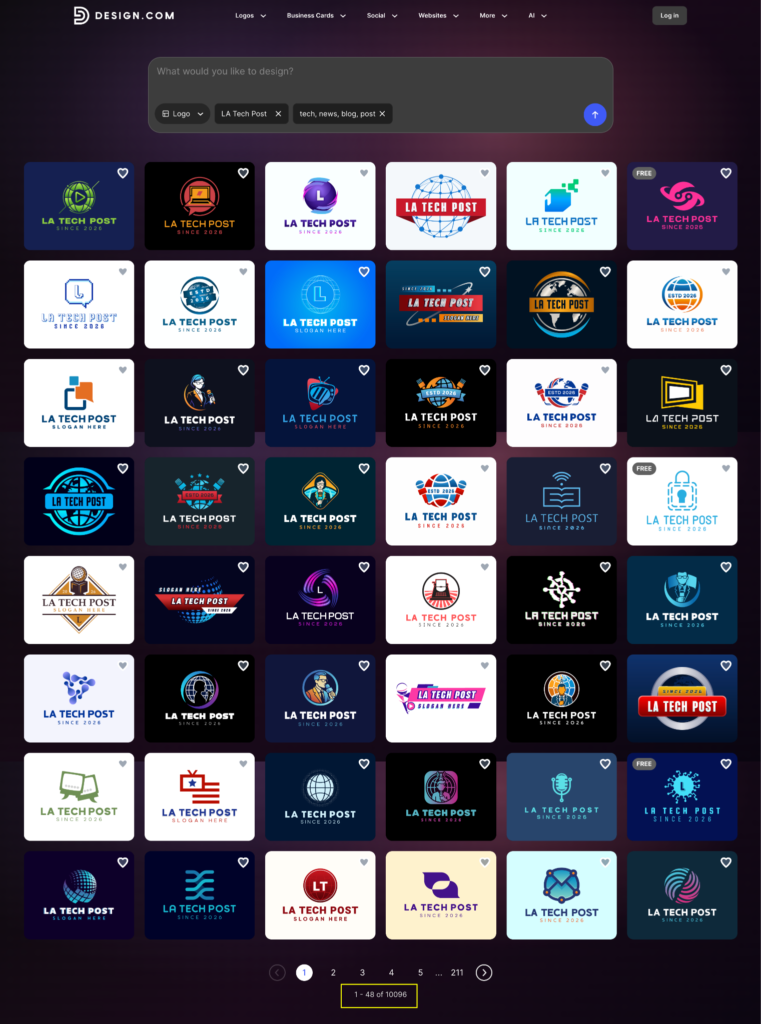
The AI read the tech-and-media context and generated concepts that fit a news blog, so we spent our time choosing a direction instead of starting from a blank page.
What Can You Customize in Design.com?
Everything that matters. The visual editor lets you change fonts, colors, icons, spacing, and layout in real time, and paid plans include unlimited logo changes.
Design.com also offers AI chat editing, where users can edit their logo’s icon or text through a simple chat interface by describing the change they want.
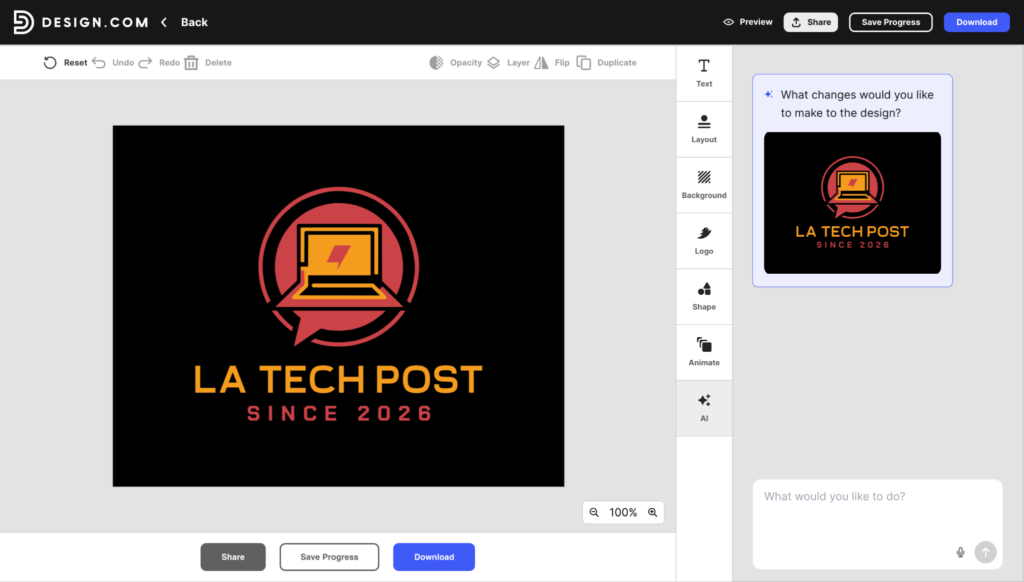
The custom-trained AI applies it while safeguarding the design copyright. For users with no design experience, this turns editing into a conversation instead of a technical task.
What Files Do You Get From Design.com, and Can You Use Them Commercially?
Design.com logos come in vector, raster, and animated formats, with icon-only and transparent-background options.
| File type | Formats |
| Vector | SVG, EPS, PDF |
| Raster | PNG, JPG |
| Animated | GIF, MP4 |
| Options | Icon-only, transparent background |
All designs on Design.com are commercially safe to use, and each logo and design is checked for originality and quality. Extended licenses are also available for customers who want a logo removed from the library for exclusive use.
What Else Does Design.com Include Besides Logos?
Design.com works as a complete brand kit, and your templates automatically inherit your logo’s colors so everything stays consistent. It has 50+ design and branding tools that cover print, social media, and web, so you can build a consistent brand without switching between apps.
These are just some of the additional tools it offers:
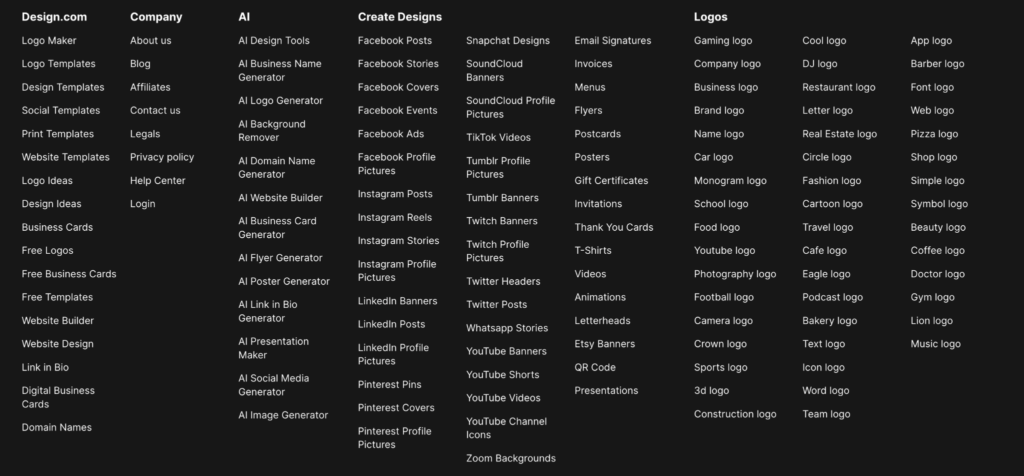
- Business cards and digital business cards
- Social media profile pictures, posts, and covers
- Stationery and print: email signatures, letterheads, flyers, posters, and menus
- Web: website builder, link in bio, QR codes, and presentations
- AI tools: AI logo generator, business name generator, background remover, domain name generator, social media generator, website builder, plus flyers, posters, business cards, link in bio, and presentations
- AI image generator (new): Design.com’s newest tool is its AI image generator that creates images from a text description, so you can produce custom visuals for social posts, flyers, and web pages without stock photos or design software.
- Extras: domain name registration and printing on business cards, mugs, apparel, and mousepads, with free delivery
How Much Does Design.com Cost?
Design.com is free to start, and paid plans begin at $3/month billed annually.
| Plan | Annual billing | Monthly billing | What’s included |
| Free | $0 | $0 | Free logo downloads (high-res and vector files), free website builder, link in bio creator, digital business card maker, 50+ design tools |
| Starter | $3/mo | $9/mo | Full logo ownership, unlimited logo changes, business cards, Instagram and Facebook posts, email signatures, letterheads, 50+ design tools, 500,000+ templates |
| Value | $4/mo | $14/mo | Everything in Starter, plus a website |
| Premium | $5/mo | $19/mo | Everything in Value, plus link in bio and digital business cards |
All paid plans include “Your logo is yours forever” ownership and cancel-anytime billing. Designs made with the extra design tools require a paid plan to download.
Is Design.com’s Customer Support Good?
Yes. Design.com offers 24/7 email and chat support. The platform is also available in English, Spanish, French, German, Portuguese, Canadian French, and Brazilian Portuguese, and accepts payment in nine currencies, including USD, GBP, EUR, AUD, INR, PHP, BRL, MXN, and ZAR.
What Are Design.com’s Pros and Cons?
Pros
- Design.com generates thousands of industry-relevant logo concepts from a single business name in seconds.
- Design.com’s chat-based AI editing lets users change a logo without touching design tools.
- Design.com includes vector, raster, and animated file formats with commercial rights.
- Design.com’s paid plans start at $3/month billed annually and include unlimited logo changes.
- Design.com creates matching business cards, social posts, letterheads, and websites from your logo colors.
Cons
- Design.com is web-based only, with no native app yet. The browser experience is fast and works smoothly across devices, so most users won’t notice the gap.
- Design.com isn’t built with developers in mind, so it offers few technical integrations. That focus on simplicity suits non-technical users who want instant branding without a learning curve.
Design.com vs Canva vs Looka: Which Is Better?
Design.com, Canva, and Looka can all produce a logo, but they are not built for the same jobs.
Here are their differences:
| Design.com | Canva | Looka | |
| Best for | Logos and full brand kits | General-purpose design | AI-generated logo packages |
| Free tier | Yes, including free logo downloads and a website builder | Yes | Design for free, but downloads require a purchase |
| Starting price | $3/mo billed annually | Pro: about $12/mo billed annually ($144/year) or $18/mo monthly | Basic logo $20 (one-time), Premium logo $65 (one-time) |
| Brand kit | Included in paid plans | Brand Kit on Pro | $96/year Brand Kit subscription (300+ templates) |
| Website | Free website builder; full website from the Value plan | Single-page sites | $129/year with website |
| Pricing model | Monthly or annual subscription | Monthly or annual subscription | One-time logo packages plus optional annual subscription |
- Choose Design.com if you want a logo-first platform that offers vector files, commercial use, and matching brand assets at a low monthly price.
- Choose Canva if you need one tool for a wide range of design work, such as social posts, presentations, documents, and video, and the logo is only part of the job.
- Choose Looka if you prefer to pay once for a single logo rather than subscribe. Its $65 Premium package covers vector files and full ownership, though each additional logo is a separate purchase.
Final Verdict: Is Design.com Worth It?
Yes. Design.com combines fast AI generation, chat-based logo editing, full commercial file ownership, and a matching brand kit, with paid plans starting at $3/month, billed annually.
In our testing, it delivered on the promise of going from a business name to a polished logo in minutes, with no design skills required.
Design.com is the best fit for startups, freelancers, and small businesses that need a polished logo fast without hiring a designer. The main trade-offs are that it’s web-based only and not built for technical integrations, so it suits people who need a native app or developer-level tools less well.
If that describes you, look elsewhere. For everyone else, you can start with Design.com for your branding needs.






Be First to Comment