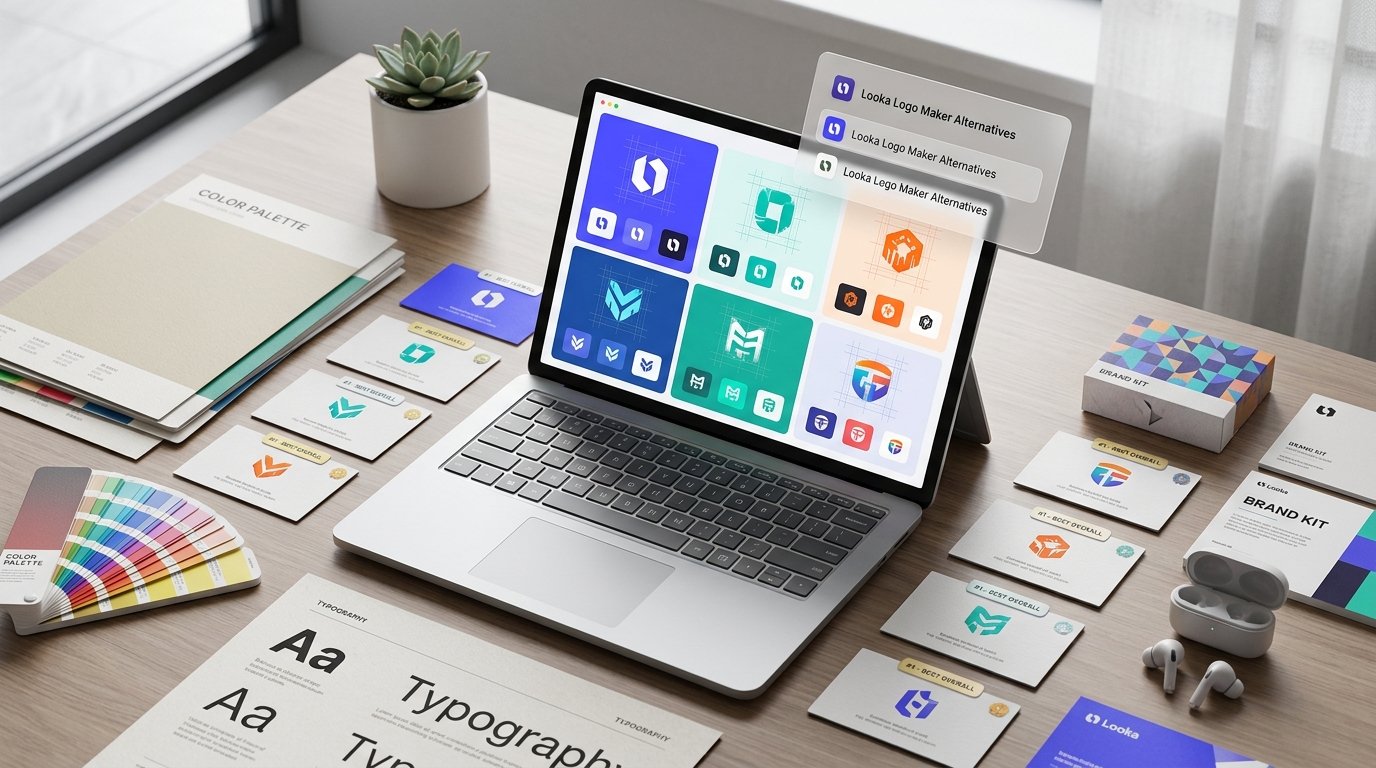
Quick Answer: The best Looka logo maker alternative in 2026 is Brandmark for minimalist, modern startup marks with a one-time payment that includes scalable vector files, Canva for ongoing DIY design flexibility and social templates, and Recraft for true generative AI vector logos you can edit node-by-node. If you want a genuinely free downloadable logo without paywalls, LOGO.com and Namecheap Logo Maker lead the market, while Tailor Brands and Adobe Express excel for full-stack business setup and commercial-safe branding.
Looka (formerly Logojoy) helped popularize AI-assisted branding by turning a five-minute style quiz into dozens of clean logo mockups and business card previews. For complete beginners who want a guided wizard, Looka remains a slick experience.
However, once founders try to actually download and use their files, Looka’s friction points become obvious. Looka’s $20 Basic package only gives you a single low-resolution 1000×1000 PNG without a transparent background—making it unusable for Retina websites, packaging, or print signage. Unlocking scalable vector files (SVG and EPS) costs $65, and accessing Looka’s ongoing Brand Kit templates locks you into a $96/year recurring subscription. Even more importantly, Looka relies heavily on pre-built icon libraries rather than true generative vector art, which can leave your brand looking templated.
At LA Tech Post, we tested 9 of the most reputable Looka logo maker alternatives across pricing transparency, vector export quality, customization freedom, and commercial ownership rights. Below is our fast-answer cheat sheet, full comparison table, and in-depth ~500-word buyer breakdowns to help you pick and test the right branding tool today.
Fast Answers: Pick the Best Looka Alternative in 10 Seconds
- Best Overall One-Time Purchase Alternative: Choose Brandmark if you want sleek, venture-ready startup logos with PNG and SVG vector files included in a single $35 one-time payment.
- Best for Ongoing Marketing & Social Design: Choose Canva if you want to design your logo and immediately use it across thousands of editable social posts, pitch decks, and flyers.
- Best True Generative Vector AI Tool: Choose Recraft if you want an AI model that generates custom, non-templated vector illustrations and exports clean SVG files.
- Best Free Downloadable Logo Maker: Choose LOGO.com or Namecheap Logo Maker if you want a legitimate, commercially usable logo download without hitting a checkout paywall.
- Best for U.S. LLC Formation + Branding: Choose Tailor Brands if you are launching a new U.S. business and want logo design bundled with LLC registration, EIN filing, and compliance tools.
- Best for Commercial-Safe AI & Adobe Workflows: Choose Adobe Express if you need copyright-safe Firefly AI graphics and seamless handoff to Illustrator or Photoshop.
- Best for Instant Logo + Website Launch: Choose Wix Logo Maker if you are building your business site on Wix and want matching brand assets synced automatically.
- Best for Animated Logos & One-Time Brand Centers: Choose LogoAI if you want built-in motion logo exports alongside a permanent, non-subscription brand style guide.
Quick Comparison: Top 9 Looka Logo Maker Alternatives (2026)
| Platform | Best Use Case | Vector Files (SVG/EPS) | Free Download Available | Pricing Model (2026) |
|---|---|---|---|---|
| Brandmark | Minimalist tech & startup logos | Yes (Included in $35 Basic) | No (Free unlimited preview) | $35 Basic / $65 Designer / $95 Enterprise (One-time) |
| Canva | DIY branding & ongoing social assets | Yes (With Canva Pro) | Yes (Standard PNG/JPG) | Free tier / $15/month Canva Pro |
| Recraft | Custom generative AI vector logos | Yes (Native SVG export) | Yes (Daily free credits) | Free tier / $12/month Pro |
| Tailor Brands | All-in-one branding + LLC setup | Yes (On paid plans) | No (Low-res sample only) | Bundles starting ~$12.99/mo + LLC packages |
| LOGO.com | Best free commercial logo + brand kit | Yes (On $15/mo Brand Plan) | Yes (Free high-res PNG) | Free / $1/mo intro (then $15/mo) |
| Adobe Express | Commercial-safe Firefly AI & Adobe sync | Yes (SVG/PDF conversions) | Yes (Free tier exports) | Free tier / $9.99/month |
| Wix Logo Maker | Instant logo + Wix website launch | Yes (Included in $50 Value plan) | Low-res sample free | $20 Basic / $50 Value (One-time) |
| Namecheap Logo Maker | 100% free, zero-paywall startup logos | Yes (Free SVG + PNG zip) | Yes (Completely free) | $0 (100% Free) |
| LogoAI | One-time brand center & animated logos | Yes (Pro $59 & Brand $99) | No (Free preview) | $29 Basic / $59 Pro / $99 Brand (One-time) |
Why Founders Look for Looka Alternatives in 2026
Before switching tools, it helps to understand the three specific pain points driving founders away from Looka:
- The $20 vs. $65 Vector Paywall: Looka advertises a $20 starting price, but that tier omits transparent backgrounds, monochrome versions, and scalable vector files. Competitors like Brandmark include SVG vectors in their $35 entry tier, while Namecheap Logo Maker gives them away free.
- Subscription Lock-In for Brand Templates: Looka nudges buyers into a $96/year Brand Kit subscription to edit social banners and business cards. Modern all-in-one platforms like Canva and Adobe Express deliver far deeper daily marketing libraries for roughly the same cost.
- Stock Icon Repetition: Looka’s generator pairs standard fonts with pre-drawn library icons, which means another business in your niche could generate a nearly identical symbol. True generative vector engines like Recraft synthesize bespoke artwork from scratch.
In-Depth Reviews: The 9 Best Looka Logo Maker Alternatives
1. Brandmark — Best Overall One-Time Purchase Alternative for Modern Startups
Brandmark is built by the same engineering team behind Namelix, and its laser focus on clean, Silicon Valley-grade visual identity makes it the strongest direct replacement for Looka. Rather than drowning you in dated clip-art icons, Brandmark uses deep learning models trained on modern minimalist typography, geometric balance, and negative-space monograms.
- Hands-On Design Experience: Getting started takes less than 60 seconds. You enter your brand name, an optional slogan, three to five descriptive keywords, and pick a color mood. Brandmark immediately renders dozens of sleek, venture-ready concepts complete with live mockups across mobile app icons, dark-mode headers, business cards, and apparel. Its built-in browser editor lets you fine-tune kerning, swap icon geometry, test contrast ratios, and generate matching color palettes without needing any graphic design background.
- Why It Beats Looka on Value: Brandmark’s pricing is refreshingly transparent and free of recurring subscription traps. Its $35 Basic one-time package gives you full high-resolution PNG files plus scalable SVG vector files right out of the gate—something Looka forces you to pay $65 to unlock. Upgrading to the $65 Designer tier adds a complete brand style guide, business card templates, social media profile kits, and presentation decks, while the $95 Enterprise tier includes up to 10 custom design revisions handled by Brandmark’s human design team.
- Buyer Conversion Tip: You can generate, customize, and preview unlimited logo variations on Brandmark completely free before spending a dollar—making it effortless to test how your brand name looks in geometric sans-serif or bold monogram styles before committing.
- Limitations: Because Brandmark specializes in clean, modern, and minimalist tech aesthetics, businesses looking for intricate hand-drawn vintage badges or detailed mascot illustrations will find fewer ornate options.
- Best For: SaaS founders, AI startups, tech consultancies, and modern DTC brands wanting crisp vector files for a single one-time payment.
2. Canva — Best All-in-One Alternative for Ongoing Marketing & Social Design
While Looka locks your brand assets inside a specialized logo portal, Canva treats your logo as the starting point for your entire daily marketing engine. For founders and small business owners who know they will be creating Instagram posts, pitch decks, flyers, and YouTube banners every week, Canva delivers exponentially higher long-term ROI.
- Hands-On Design Experience: Canva’s Magic Design and dedicated Logo Maker combine thousands of designer-crafted typography pairings and vector shapes with intuitive drag-and-drop control. Unlike Looka’s rigid quiz-based generator, Canva lets you adjust every curve, layer, shadow, and letter spacing manually—or type a natural-language prompt to generate fresh graphic elements directly onto your canvas. Once your mark is ready, saving it to Canva’s Brand Kit automatically syncs your exact hex codes, fonts, and transparent logo variations across every template in your workspace.
- Why It Beats Looka on Value: You can design and download a clean, high-resolution PNG logo on Canva’s free forever plan without hitting a surprise checkout wall. If you upgrade to Canva Pro ($15/month), you unlock one-click transparent background exports, scalable SVG vector downloads, Magic Resize for instant social media formatting, and access to over 100 million premium stock assets—effectively replacing Looka’s $96/year Brand Kit subscription while giving you a full creative studio.
- Buyer Conversion Tip: Start on Canva’s free tier to test multiple typography and icon combinations, then activate the 30-day Canva Pro free trial right when you are ready to export transparent SVGs and spin up your launch social kit.
- Limitations: Because Canva’s template library is used by millions of creators worldwide, you should always customize fonts, icon colors, and spacing rather than exporting an unedited stock template—and note that pure stock elements inside Canva cannot be trademarked as exclusive brand marks.
- Best For: Solopreneurs, content creators, e-commerce brands, and small businesses that want their logo connected directly to daily social and marketing templates.
3. Recraft — Best True Generative AI Vector Logo Tool
If your biggest complaint about Looka is that its logos look like generic stock icons glued next to standard fonts, Recraft represents a massive technological leap forward. Recraft is a specialized foundation model built specifically for graphic designers—capable of generating genuine, editable vector art (SVG) from descriptive text prompts.
- Hands-On Design Experience: Unlike general image generators such as Midjourney that output flat pixel grids (PNG/JPG) that blur when enlarged, Recraft’s Vector Art mode natively constructs clean mathematical paths and anchor points. You can describe an exact visual concept—such as “minimalist geometric fox emblem formed from two interlocking ribbons, flat vector style, cobalt blue and obsidian”—and Recraft generates bespoke, non-templated variations in seconds. Even better, you can click into the generated graphic to recolor individual vector shapes, tweak text typography directly on the canvas, or generate matching brand icons in the exact same visual style.
- Why It Beats Looka on Value: Looka charges $65 to export an SVG of a pre-existing library icon. Recraft lets you generate custom, one-of-a-kind vector illustrations and export native SVG files starting on its free daily credit tier, with Recraft Pro ($12/month) unlocking full commercial ownership rights, private workspace folders, and higher resolution upscaling.
- Buyer Conversion Tip: Sign up with a free account to use your daily complimentary credits—test three or four vector style presets (such as Line Art, Minimalist Vector, or Emblem) to see how fast Recraft builds bespoke brand symbols you won’t find in any stock icon catalog.
- Limitations: Because Recraft gives you true creative freedom via prompt engineering rather than a five-step quiz, complete beginners may spend 10 to 15 minutes refining prompts and pairing typography to achieve balanced alignment.
- Best For: Designers, AI-savvy founders, and agencies who want bespoke, non-templated vector logos and matching brand illustration systems.
4. Tailor Brands — Best All-in-One Platform for Branding + U.S. LLC Formation
Tailor Brands goes far beyond graphic design—positioning itself as a complete business launchpad for first-time entrepreneurs who need a logo, website, domain, and legal U.S. business registration handled under one roof.
- Hands-On Design Experience: Tailor Brands uses an adaptive style-preference wizard similar to Looka, asking you to choose between icon-based, name-based, or initial-based logos before comparing pairs of typography styles. Within a minute, it generates clean, approachable brand marks alongside instant mockups for websites, branded merchandise, digital business cards, and social media covers. Its editor makes it simple to test layout alignments, adjust spacing, and preview seasonal color variations.
- Why It Beats Looka on Value: While Looka stops at graphic files and social templates, Tailor Brands integrates directly with U.S. LLC formation, Registered Agent services, EIN tax ID filing, and business license compliance tools. For founders launching a brand-new company from scratch, bundling your legal entity setup with your domain, business email, and vector brand kit eliminates juggling four separate vendors.
- Buyer Conversion Tip: You can run through Tailor Brands’ entire AI logo generator and customize your favorite design for free before choosing whether you only want a standalone branding plan or a full LLC launch bundle.
- Limitations: Tailor Brands operates primarily on recurring subscription tiers rather than cheap one-time file downloads, and its LLC filing packages carry state filing fees plus service markups that DIY founders could file independently for less.
- Best For: First-time U.S. small business owners, service providers, and local entrepreneurs who want branding and legal business formation in one guided workflow.
5. LOGO.com — Best Free Commercial Logo Maker & Instant Brand Kit
For founders bootstrapping on a tight budget who refuse to spend 15 minutes designing a logo only to hit a $65 paywall, LOGO.com offers one of the most generous free experiences in the industry.
- Hands-On Design Experience: Enter your business name and industry keywords, and LOGO.com immediately generates hundreds of clean, modern logo layouts spanning monograms, abstract geometric marks, and bold wordmarks. Its browser editor is fast and intuitive—allowing you to swap font pairings, adjust icon scale, test dark and light backgrounds, and preview how your mark looks across business cards, websites, and social avatars.
- Why It Beats Looka on Value: Unlike Looka—which offers zero usable free downloads—LOGO.com lets you download a high-resolution, commercial-use PNG logo completely free, including transparent background variations. If you decide you need scalable SVG and EPS vector files, social media resizing kits, and ongoing brand guidelines, LOGO.com offers an introductory $1 trial (renewing at $15/month, cancelable anytime)—making it dramatically cheaper to test than Looka’s $65 vector barrier.
- Buyer Conversion Tip: Use LOGO.com’s free tier to download high-res transparent PNGs for your MVP website and pitch deck today, and only activate the low-cost Brand Plan upgrade when you are ready to send vector files to a print shop.
- Limitations: Like Looka, LOGO.com builds marks from a curated icon and font library rather than generative AI illustration, so niche industries may occasionally see familiar icon motifs.
- Best For: Bootstrapped founders, side-project builders, and nonprofits needing a fast, high-resolution transparent logo with zero upfront cost.
6. Adobe Express — Best for Commercial-Safe Firefly AI & Creative Cloud Sync
Backed by Adobe Firefly, Adobe Express combines approachable template-based logo creation with enterprise-grade copyright safety and seamless compatibility with professional Adobe design software.
- Hands-On Design Experience: Adobe Express offers both a guided AI Logo Maker and a full generative canvas. You can browse thousands of professionally curated logo templates or use Firefly’s Text to Vector Graphic engine to generate clean, scalable icons and badges from plain-English descriptions. Every font in the editor is backed by Adobe Fonts’ massive commercial typography library, ensuring crisp kerning and balanced visual hierarchy.
- Why It Beats Looka on Value: Looka’s files are trapped inside a basic web editor. With Adobe Express, you can convert your finished logo into SVG or print-ready PDF files for free, remove backgrounds in one click, and hand your exact project file off to a freelance designer in Adobe Illustrator later without rebuilding anything from scratch. Furthermore, Adobe Firefly is trained exclusively on licensed Adobe Stock and public-domain content—giving commercial brands peace of mind around intellectual property safety.
- Buyer Conversion Tip: Start on the free Adobe Express plan to test Firefly vector prompts and export clean PNG/SVG assets; if you need advanced brand kits, premium fonts, and generative fill credits, Adobe Express Premium is just $9.99/month (with a 30-day free trial).
- Limitations: Navigating between Adobe Express’s template search and generative Firefly tools takes slightly more exploration than Looka’s linear five-question quiz.
- Best For: Commercial brands, agencies, and creators who want copyright-safe AI generation and future-proof compatibility with Adobe Illustrator.
7. Wix Logo Maker — Best for Instant Logo + Website Launch Synchronization
If you are building your business website on Wix—or simply want a polished, high-resolution logo backed by a clean one-time pricing structure—Wix Logo Maker delivers a smooth, guided alternative to Looka.
- Hands-On Design Experience: Wix Logo Maker walks you through a brief questionnaire covering your brand name, tagline, industry, and aesthetic adjectives (such as Modern, Dynamic, Playful, or Timeless). Its AI engine then generates tailored logo variations where you can customize icon geometry, color palettes, font weights, and background shapes. Every logo preview automatically renders inside realistic website header, storefront, and social media mockups.
- Why It Beats Looka on Value: Wix Logo Maker beats Looka’s pricing across both entry and professional tiers. Its $20 Basic one-time plan provides eight high-resolution PNG files—including transparent backgrounds and monochrome versions that Looka omits from its $20 tier—while its $50 Value one-time plan unlocks full SVG vector files, print-ready assets, and social media kits for $15 less than Looka’s $65 vector tier. Better yet, if you purchase an annual Wix website plan, a full logo package is often bundled free.
- Buyer Conversion Tip: Test unlimited logo variations for free, and if you only need digital web files with transparent backgrounds, the $20 one-time Basic tier gives you everything Looka charges $65 for (minus vector printing files).
- Limitations: Full commercial copyright ownership rules on Wix Logo Maker vary depending on whether you select custom-uploaded elements versus standard platform icons, so always review licensing terms before filing a formal trademark.
- Best For: Small businesses, local service brands, and entrepreneurs launching a website on Wix who want affordable one-time logo pricing.
8. Namecheap Logo Maker — Best 100% Free, Zero-Paywall Startup Logo Tool
Namecheap Logo Maker is the ultimate anti-paywall tool on the internet. Built as a value-add utility by domain registrar giant Namecheap, it delivers full high-resolution and vector logo packages without charging a single cent or even requiring a credit card.
- Hands-On Design Experience: You type your company name, select your industry, pick three favorite font styles from visual comparison cards, select a color palette, and choose up to three icon concepts. Within seconds, Namecheap’s AI engine generates dozens of clean, well-proportioned logo combinations. You can tweak layout orientation (stacked vs. horizontal), swap icon colors, and preview your mark on t-shirts, business cards, and mobile screens.
- Why It Beats Looka on Value: There is no $20 catch and no $65 vector upsell. When you click download, Namecheap packages a complete ZIP archive containing high-resolution transparent PNGs, monochrome variations, and scalable SVG vector files—100% free. If you are already registering your domain with Namecheap, it integrates seamlessly into your startup launch workflow.
- Buyer Conversion Tip: Even if you plan to hire a custom brand designer later, generate and download a free SVG vector logo on Namecheap in three minutes so you can launch your website, social profiles, and investor deck today without spending a dime.
- Limitations: Because it is a free utility tool, its icon catalog and advanced typography controls are simpler than paid platforms like Brandmark or Recraft.
- Best For: Pre-revenue startups, students, indie hackers, and side-hustlers who want free SVG vector files with zero paywalls.
9. LogoAI — Best for Animated Logos & One-Time Brand Centers
LogoAI bridges the gap between static logo generators and dynamic digital branding by offering built-in logo animations and a permanent, non-subscription Brand Center for a single one-time payment.
- Hands-On Design Experience: LogoAI’s smart design engine understands typographic balance, monogram framing, and modern emblem symmetry—producing crisp, commercial-ready layouts right out of the gate. Inside its editor, you can fine-tune font curves, test gradient fills, and apply one-click motion animation presets that turn your static mark into a sleek video intro for YouTube, Reels, pitch decks, and website preloaders.
- Why It Beats Looka on Value: Looka charges $96 every year to maintain access to its Brand Kit portal. LogoAI’s $99 Brand one-time tier gives you lifetime access to an interactive online Brand Center—automatically generating matching PowerPoint/Keynote templates, business cards, social media covers, and MP4/GIF logo animations without recurring annual fees. Its $59 Pro one-time tier also undercuts Looka’s $65 tier while delivering full SVG, EPS, and PDF vector files.
- Buyer Conversion Tip: Preview your logo with LogoAI’s built-in motion presets before purchasing—seeing your brand mark animate smoothly helps you immediately spot whether your icon silhouette is clean and balanced.
- Limitations: Its $29 Basic tier only includes a 800×600 PNG without transparent backgrounds, so buyers should skip straight to the $59 Pro or $99 Brand tier for serious commercial use.
- Best For: Video creators, YouTubers, podcasters, and startups who want animated logo intros and a lifetime Brand Center without annual subscriptions.
Looka vs. Top Alternatives: 4 Checks Before You Download Any Logo
Whether you choose Brandmark, Canva, Recraft, or a free generator like Namecheap, run your chosen logo through these four quick quality checks before publishing it across your brand:
- The Monochrome Test: Convert your logo to solid black on a white background (and solid white on a black background). If your symbol loses its shape without gradients or drop shadows, simplify the geometry before buying.
- The 40-Pixel Favicon Test: Shrink your logo down to the size of a browser tab icon (40×40 pixels). Ensure the core icon remains recognizable without tiny tagline text turning into an unreadable blur.
- Verify Scalable Vector Files (SVG or EPS): Never pay more than $20 for a package that only includes JPG or non-transparent PNG files. Always secure SVG or EPS vector files so your logo scales infinitely from a mobile app icon to a trade-show banner without pixelation.
- Run a Trademark & Domain Check: Before printing packaging or filing an LLC, search the USPTO Trademark Electronic Search System (TESS) to confirm no active competitor owns trademark rights to your name or visual mark in your industry class.
(Ready to build out the rest of your visual identity once your logo is locked in? Follow our step-by-step guide on how to create a full brand kit with AI tools, learn what should be in brand guidelines for a small business, and read why Ford, McDonald’s and Apple barely touch their logos on LA Tech Post.)
Frequently Asked Questions (FAQ)
What is the best free alternative to Looka in 2026?
Namecheap Logo Maker and LOGO.com are the best free alternatives to Looka. Namecheap Logo Maker lets you download high-resolution transparent PNGs and scalable SVG vector files 100% free with zero paywalls, while LOGO.com provides free commercial-use high-res PNG downloads and an optional $1 Brand Kit trial.
Why does Looka charge $65 for vector logo files?
Looka’s entry-level $20 Basic package is intentionally restricted to a single low-resolution 1000×1000 PNG without a transparent background—pushing serious buyers into its $65 Premium one-time package or $96/year Brand Kit subscription to unlock scalable SVG and EPS vector files. Alternatives like Brandmark ($35) and Wix Logo Maker ($50) include vector files at lower one-time price points.
Is Brandmark or Looka better for startups?
Brandmark is generally better for modern startups because its AI focuses on clean, minimalist typography and geometric monograms, and its $35 Basic one-time tier includes scalable SVG vector files upfront—saving you $30 compared to Looka’s $65 vector tier.
Which Looka alternative generates truly unique, non-templated logos?
Recraft is the best Looka alternative for generating completely unique, non-templated logos. Unlike Looka—which pairs standard fonts with pre-existing stock icons—Recraft uses a generative vector AI model to synthesize custom artwork from text prompts and exports editable SVG files.
Can you trademark a logo made with an AI logo maker?
Yes, provided your final logo incorporates original, human-directed customization—such as custom typography arrangements, unique color systems, and modified geometric layouts—and passes a USPTO trademark clearance search. Purely unedited stock icons from template libraries or raw, unedited AI-generated images cannot be claimed as exclusive intellectual property.

Sujan Pariyar is an international writer. He frequently writes about tech, AI, business, and travel on Silicon Valley Times, NYWeekly, Washington Magazine, Huffpost, Thrive Global and more.




Be First to Comment