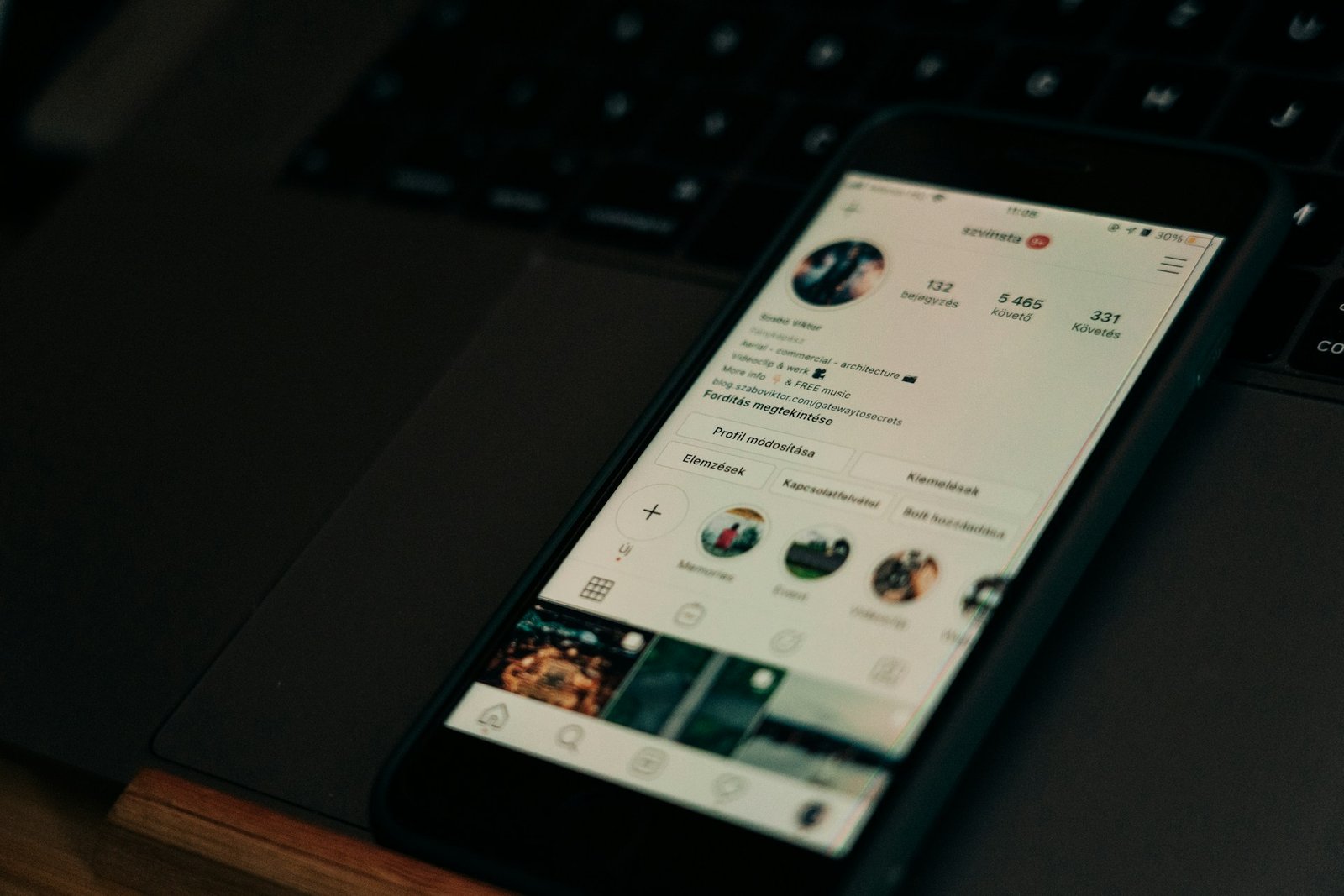
The Quick Answer
An anonymous Instagram viewer is a website or app that lets you look at public Instagram stories, highlights, posts and profiles without logging in, and without your username showing up in the account owner’s story viewer list. It works because the tool fetches the content itself, so Instagram records the tool and not you.
Three things to know before you click anything:
- It only works on public accounts. No legitimate tool can open a private account. Anything that promises to is a scam, a survey trap, or malware.
- “Anonymous” means anonymous to the account owner, not to the website. The viewer site can still see your IP address and what you search.
- These tools break often. Instagram keeps changing how public content is served, so the tool that worked last month may be down today. Bookmark two, not one.
If you just want the shortlist: StoriesIG, Inflact, AnonyIG, and InstaStoriesViewer are the simplest places to start for stories, while Dumpor is the one to try when you want to search by hashtag or location. The full breakdown of all 15 is below.
Key Takeaways
- Instagram shows the account owner a list of everyone who watched a story, for up to 48 hours after it was posted. Viewing a story inside the app puts your name on that list, even if you don’t follow the account.
- Instagram does not tell people who visits their profile. Only story viewers, live viewers and a few other interactions are visible.
- Anonymous viewer tools are free in most cases, and they usually pay for themselves with ads. That is exactly why you should be careful about pop-ups, fake download buttons and “verify you’re human” prompts that ask for more than a click.
- Never enter your Instagram password on a third-party viewer. A genuine public viewer only ever needs a username.
- Downloading someone’s story is technically easy and ethically a judgment call. Reposting it without permission is a different problem altogether.
Table of Contents
- What an anonymous Instagram viewer actually is
- How these tools work behind the scenes
- Can you view private accounts anonymously?
- How we put this list together
- Comparison table: 15 anonymous Instagram viewers at a glance
- The 15 best anonymous Instagram viewer tools
- How to choose the right tool for you
- A safety checklist before you use any viewer
- Is this legal, and is it okay?
- Ways to stay low-profile on Instagram without any third-party tool
- How to protect your own stories from anonymous viewers
- Frequently asked questions
- Final thoughts
What an Anonymous Instagram Viewer Actually Is
Everyone has been there. You tap a story, and a half second later you remember that the person on the other end can see your name. Maybe it is an ex. Maybe it is a competitor, a potential landlord, a creator you are researching for a brand deal, or just someone you would rather not send the wrong signal to. An anonymous Instagram viewer solves exactly that small, awkward problem.
The idea is simple. You type a public username into a website. The site pulls that account’s publicly available content and shows it to you in a plain page: active stories, highlights, posts, reels, sometimes the profile photo at full size. You never open the Instagram app, you never sign in, and nothing is attached to your identity.
People use these tools for more reasons than curiosity. Social media managers check how a competitor presents a product launch. Journalists and researchers look at public posts without leaving fingerprints. Parents glance at a public account a teenager follows. Creators scout collaborators. Job seekers and recruiters look at public profiles without a login. And plenty of ordinary users simply want to keep their browsing private, the same way you might use a private browser window.
It helps to think of these tools as a window, not a key. They show you what the public can already see. They do not unlock anything.
How These Tools Work Behind the Scenes
Understanding the mechanics makes you a smarter user, and it explains why the tools fail so often.
Most anonymous viewers do one of two things. Some request the story through accounts that the service itself operates, so Instagram logs the service’s account as the viewer and never learns about you. Others read the public layer of Instagram, the same data a logged-out visitor can reach, and re-display it in their own interface. Either way, the content on your screen was fetched by the tool’s servers, not by your phone.
That design has three consequences.
First, privacy is real but partial. The account owner does not see you. The website, however, receives your request, your IP address and your search history unless it states otherwise. Choose tools with a clear privacy page, and treat the search box like any other website that you do not fully control.
Second, reliability is fragile. Instagram actively works against automated collection. Its Help Center describes unauthorized scraping as automated access and collection of data in violation of its Terms of Use, and says dedicated teams detect and block it. That cat-and-mouse game is why viewers go offline, change domains or rebrand. Independent roundups in 2026 describe Picuki redirecting away from Instagram entirely, Imginn running slowly behind a security check or going down for stretches, and Dumpor being linked to a rebrand and domain changes.
Third, there is a legal gray area. Meta has taken legal action against operators of Instagram viewer sites in the past, accusing one developer of scraping user data and republishing it on clone sites that earned money from ads. We will come back to this in the legal section, because it affects how you should think about these services.
Can You View Private Accounts Anonymously?
No, and this is the most important paragraph in the article.
A private Instagram account shares its content only with approved followers. The data sits behind Instagram’s login and permission checks. A website cannot reach it without your approved account or the owner’s cooperation. Every honest review of these tools says the same thing: public accounts only.
So what are all those “private Instagram viewer” sites doing? A few common tricks:
- The fake progress bar. The site “hacks” the account for 30 seconds, then asks you to complete a survey, download an app or pay.
- The credential grab. It asks you to log in with Instagram “to verify” you, and now someone else has your password.
- The malware download. The “viewer” is an APK or desktop installer that installs something nasty.
- The monitoring-app upsell. Some pages dress up spyware subscriptions as viewers. Those require installing software on someone’s phone, which is a serious matter of consent and, in many places, law.
If you want to see a private account, the only honest route is to send a follow request and let the person decide.
How We Put This List Together
We built this guide the way we would want to read one. We reviewed each tool’s own description of what it does, cross-checked those claims against independent roundups published through 2026, and noted where reviewers disagreed or where a tool’s status looked unstable. We also leaned on Instagram’s own Help Center for how story viewer lists, hiding stories and scraping rules work.
A few honest caveats. These tools change faster than almost any software category, so we describe what each one is known for rather than promising it will load today. Many of the roundups on this topic are published by competing viewer sites with an obvious interest in recommending themselves, so we treated single-source praise with caution. And because free tools can fail overnight, we focused on what each tool is good at, who it suits and what to watch for, which stays useful even when a domain goes dark.
We judged each tool on six things: anonymity (does it need your login at all), content coverage (stories, highlights, posts, reels, profile photos), downloads, ease of use, ad and pop-up load, and how stable it has been.
Comparison Table: 15 Anonymous Instagram Viewers at a Glance
| # | Tool | Best for | Stories | Highlights | Posts / Reels | Downloads | Login needed |
|---|---|---|---|---|---|---|---|
| 1 | StoriesIG | Fast, no-fuss story viewing | Yes | Yes | Limited | Yes | No |
| 2 | Dumpor | Hashtag and location browsing | Yes | Limited | Yes | Yes | No |
| 3 | Imginn | Full-profile browsing | Yes | Yes | Yes | Yes | No |
| 4 | Inflact | Separate tools per content type | Yes | Yes | Yes | Yes | No |
| 5 | AnonyIG | Clean design and extra features | Yes | Yes | Reels (reported) | Yes | No |
| 6 | InstaStoriesViewer | Simplest username-only flow | Yes | Yes | Limited | Yes | No |
| 7 | Path Social | Multi-tool Instagram toolkit | Yes | Yes | Varies | Separate tool | No |
| 8 | MollyGram | One-click paste and clear downloads | Yes | Yes | Reels | Yes | No |
| 9 | EmbedSpecial | Near real-time story updates | Yes | Yes | Limited | One click | No |
| 10 | FastDl | Mobile app plus web | Yes | Limited | Photos, reels, IGTV | Yes | No |
| 11 | InstaNavigation | Long-running story and highlight viewer | Yes | Yes | Posts | Yes | No |
| 12 | Views4You | Choose content type after searching | Yes | Yes | Posts | HD | No |
| 13 | Instanônimo | Simple viewer with optional history | Yes | Limited | Limited | Yes | No |
| 14 | StoriesDown | Story-focused downloads | Yes | Limited | Limited | Yes | No |
| 15 | Social Blade | Public stats instead of stories | No | No | Stats only | No | No |
Feature coverage reflects what each service and independent reviewers describe. Tools change often, so test with a public account before relying on any of them.
The 15 Best Anonymous Instagram Viewer Tools
1. StoriesIG: Best Overall for Quick Anonymous Story Viewing
StoriesIG is the name that comes up first in almost every roundup, and for good reason. It does one job, watching and saving public Instagram stories, and it does it without asking you to create an account, install anything or pay. In independent comparisons it regularly lands at or near the top of the list for simple story and highlight viewing, and it has been recommended as a stand-in when older viewers like Picuki stopped working as Instagram tools.
What it does well. You type a public username, and the site loads the account’s current stories. Highlights sit alongside them, so you can browse the older, pinned material that the owner chose to keep on the profile. A save option lets you download individual stories as images or video, which is handy if you want to keep a reference clip for research. The interface is deliberately plain: a search bar, the content, a download button. That plainness is a feature when you are on a slow connection or a phone.
How to use it.
- Open the site in your browser. Use a private window if you want to keep the visit out of your history.
- Enter the username, without the @ symbol, of a public account.
- Choose Stories or Highlights from the results.
- Watch in the page, or save the clip if you need it.
Who it suits. StoriesIG is a good first stop for anyone who just wants to check a story and leave. If you are a social media manager checking how a competitor is promoting an offer, or someone who wants to see what an old friend has been posting without sending a signal, it handles that smoothly.
The trade-offs. The usual free-tool caveats apply. Ads are present, though reviewers describe them as annoying rather than blocking. Downloads have been described as hit-or-miss on mobile browsers while working reliably on desktop, so if a save fails on your phone, try a laptop. And like every tool in this category, it works only on public profiles. If StoriesIG says no stories were found, that can simply mean the account has not posted in the last 24 hours, the account is private, or Instagram is rate-limiting the tool at that moment.
What to watch for. Only use the main domain you reached through a reputable source. Because this name is popular, lookalike clone sites exist, and some are designed to push you toward sketchy downloads. If a page asks you to log in with Instagram, install an app or complete a survey before showing a public story, close the tab.
Verdict. If you only bookmark one anonymous Instagram story viewer, make it this one. It is simple, widely recommended and focused on what most people actually need. Keep a second tool bookmarked for the days it is down.
2. Dumpor: Best for Searching Instagram by Hashtag and Location
Dumpor earned its reputation by doing something most story viewers do not: it lets you search. Instead of needing an exact username, you can type a hashtag or a location and browse public content tied to it. That makes it as useful for research as for anonymity, and it is the tool most often named when people want something closer to the old Picuki experience of casually browsing Instagram without an account.
What it does well. Beyond viewing public stories and posts, Dumpor offers profile analysis such as engagement signals across likes, comments and followers. It also surfaces popular hashtags and trending profiles, which helps if you are not sure what to search for. For marketers, that combination matters: you can see what a competitor posts, how audiences respond and which tags surround a niche, all without logging in.
A respectful detail. Dumpor has also been noted for offering creators a way to request removal of their content from the site through a form that asks for an email, the account link and a short reason. That is a small but meaningful sign of how a viewer site treats the people whose content it displays, and it is worth knowing about if you are a creator who does not want your public posts mirrored elsewhere.
How to use it.
- Visit the site and use the search bar.
- Enter a username, a hashtag or a location.
- Browse the results, open a profile and view or download public content.
- Use the analysis view if you are comparing accounts.
Who it suits. Researchers, competitive analysts, content creators looking for trend ideas and anyone who prefers exploring to looking up one specific account. If you are building a content calendar, pair it with proper keyword and trend research. Our guide on how to do keyword research covers the broader method, and our roundup of the best SEO tools shows where social listening fits next to search data.
The trade-offs. This is the tool in the list with the most reported turbulence. Independent articles in 2026 describe domain changes, clones and a rebrand to a name often written as SmiHub, with outages along the way. Treat that as a reason to double-check the address you land on, and not to assume every site calling itself Dumpor is the same operator. Like others, it cannot open private accounts, and reviewers consistently stress that point.
What to watch for. Because the name has been widely copied, search results for it can include imitators. Reach it through a source you trust, avoid any version that asks for an Instagram login and keep an alternative handy.
Verdict. Dumpor is the best choice when you want to explore instead of just look someone up. Its reliability record is the weak spot, so use it for research sessions, not as your only plan.
3. Imginn: Best for Browsing Full Profiles When It Is Up
Imginn is a free web tool for viewing and downloading Instagram stories, posts and reels without an account. For years it was one of the first names people reached for, because it displays a profile close to how Instagram does: grid of posts, reels, and a stories tab, all in one place.
What it does well. The strength here is breadth. Instead of treating stories as the only thing worth seeing, Imginn gives you the profile as a whole. A reviewer who opened a large public account in 2026 reported that the posts, reels and story tabs were all present, which confirms that the core product still exists. For someone doing a quick audit of a brand’s Instagram presence, seeing everything on one screen saves time.
How to use it.
- Go to the site and complete any security check shown before the profile loads.
- Search the public username.
- Switch between the posts, reels and stories tabs.
- Download what you need.
Who it suits. People who want to read a full public profile rather than only watch stories: social media managers, brand researchers, journalists doing background checks on public accounts and fans who like scrolling a grid without the app.
The trade-offs. Imginn’s reputation in 2026 is mixed. Some independent writers describe it as stable but slower, because a security check runs before profiles load. Others say it has been offline for days at a time or worse, with no public status page or timeline for fixes. The honest summary is that it works sometimes and not others, so do not rely on it for anything time-sensitive, such as catching a story before it expires. Ads are also heavier than on minimalist viewers.
What to watch for. The security check is normal for a service that needs to block bots, but fake versions of such prompts are a classic trick. A genuine check asks you to click or solve a simple puzzle. It does not ask you to allow notifications, install an extension or log in to anything.
Verdict. Imginn is worth trying when you want the full-profile view and are patient with the occasional hiccup. If you land on a dead page, switch rather than refresh in frustration. The problem is almost always upstream.
4. Inflact: Best for Separate Tools for Stories, Highlights, Posts and Reels
Inflact is part of a broader suite of Instagram marketing and growth tools, which gives its free viewers a more organized feel than the average single-page site. Instead of one search box that guesses what you want, it offers a different section for each content type: stories, highlights, posts, reels and profiles.
What it does well. That separation prevents the small mistakes other viewers cause. You will not open a highlight when you wanted a current story, or a post when you were after a reel. You can paste either a username or a link, which is convenient if someone sent you a direct URL. Inflact also lets you save and, in some cases, track stories, and it does not require you to log in to view public content.
How to use it.
- Pick the section that matches what you want to see, such as Stories or Reels.
- Paste the username or link into the box.
- View the result, then save it if you need to.
- Move to another section for a different content type.
Who it suits. Marketers and creators who are already thinking about Instagram as a workflow, and anyone who likes a tool that does one thing at a time. If you are researching Reels formats for your own channel, you may also like our guide to the best AI clipping tools, which covers how solo creators turn long videos into short clips.
The trade-offs. The main limit is a free-tier cap. One roundup noted that you can view only three stories per day for free, which is fine for occasional checks and frustrating for heavier use. Paid plans exist for the wider platform, so read what you are signing up for before entering payment details. The brand is also a commercial marketing company, so expect upsells.
What to watch for. If you hit the free limit, resist workarounds that involve downloading unfamiliar extensions or entering Instagram credentials. Wait a day, use another viewer or pay only if you genuinely need the paid features and trust the company.
Verdict. Inflact is the most organized free option on the list, and a good choice if you care about a clean, predictable workflow. Just be aware of the daily limit before you build a routine around it.
5. AnonyIG: Best for Clean Design and Extra Features
AnonyIG stands out in a field of plain white pages and cramped ad layouts because someone clearly thought about how it looks. It uses a dark theme, which suits a privacy tool, along with tidy artwork and a short how-to section that explains the process without jargon. Several reviewers name it as their favorite free option for exactly that reason: it feels cared for.
What it does well. Core functionality covers the essentials. You can view public stories and highlights without an Instagram account, and you can download stories. Some reviews also mention support for reels. The feature that sets it apart is repost monitoring, which lets you, as an account owner, keep an eye on engagement with your own stories. It is important to be precise here: that tracking applies to your own account. It does not let you track engagement on someone else’s stories, which would not be possible without access to their data.
How to use it.
- Open the site and enter the public username in the search bar.
- Choose between stories and highlights.
- Watch in-page, or download.
- If you want the owner-focused tracking, expect to connect your own account, and think carefully about whether that is a trade you want to make on a third-party site.
Who it suits. People who will use a viewer regularly and want a pleasant interface, as well as small creators who want a little more insight into their own stories while keeping the same site for anonymous viewing. If you run a business account and test story formats, the owner-side features can be a useful extra, though Instagram’s own Insights should remain your primary source of truth.
The trade-offs. Free viewers earn their money somehow, and ads are still part of the picture, though one comparison found fewer of them here than on rivals. Like every tool in this guide, it only supports public accounts. Reliability is rated medium in some comparisons, which in plain English means it can go down when Instagram changes how public content is served.
What to watch for. The one real risk with a tool that offers both anonymous viewing and account-linked features is mixing the two up. You do not need to log in to view anonymously. If a page asks for credentials when you are only trying to watch a story, stop and reconsider. Use a strong, unique password for any Instagram connection you do make, and enable two-factor authentication on your Instagram account first.
Verdict. AnonyIG is the best-looking, most thoughtful free viewer on the list. If you value interface quality and might use it often, give it a go, and treat the account-linked extras as optional.
6. InstaStoriesViewer: Best for the Simplest Username-Only Flow
Some tools try to be everything. InstaStoriesViewer does not. It is a straightforward web tool with a clean interface and one idea: enter a username, press search, watch the story. That is the whole workflow, and for many people that is exactly right.
What it does well. The service explains its own method plainly. It views the story through one of its own accounts, and that account is what Instagram records. Your details never enter the picture. You can download stories, and you do not need to create an account of any kind. Because it keeps the process so minimal, it is one of the easiest recommendations for a non-technical friend or family member who just wants to look at something without learning a new interface.
How to use it.
- Visit the site.
- Type or paste the public username.
- Press search and wait for the stories to load.
- Watch, or save what you need.
Who it suits. First-time users, people on older phones and anyone who gets frustrated by dashboards. It also works as a reliable backup when your main tool is down, since its approach does not depend on elaborate features that can break.
The trade-offs. It only works for public accounts, and it is not trying to offer analytics, hashtag search or deep profile browsing. If you want those, look at Dumpor or Inflact instead. As with all free viewers, ads and the occasional slow load come with the territory.
What to watch for. The mechanism it describes, viewing through the service’s own accounts, is a good reminder of what “anonymous” really means. You are anonymous to the account owner because a different account is doing the looking. You are not anonymous to the service, which handles your request. Read its privacy policy, and avoid searching for anything you would be uncomfortable having logged on a stranger’s server.
A practical tip. If a story seems to be missing, check whether the account actually posted in the last day. Stories vanish after 24 hours, so an empty result is often just an empty account. If you know someone posted and the tool shows nothing, try a second viewer before assuming something is wrong with your search.
Verdict. Pick InstaStoriesViewer when you want minimal friction. It will not wow you with features, but it gets out of your way, which is the most underrated quality in a tool like this.
7. Path Social: Best for a Multi-Tool Instagram Toolkit
Path Social is less a single viewer than a small collection of Instagram utilities, one of which is an anonymous viewer. If you find yourself needing several different things from Instagram over time, such as viewing, downloading and other creator tools, having them under one roof is convenient.
What it does well. You do not need to create a fake Instagram account, install an app on iOS or Android, or work through the usual hassle. You enter the handle of a public account and view what is there. One notable detail in comparisons is that this works even for public accounts that have blocked you. That sounds dramatic, but it follows from how these tools operate. A block applies to your Instagram account. A viewer that never uses your account has no block to be affected by.
How to use it.
- Open the Path Social viewer tool.
- Enter the handle of the public account.
- View the stories and other available content.
- If you want to download, use the separate downloader tool the site provides.
Who it suits. People who like to keep several small Instagram utilities in one bookmark folder, and creators who occasionally need related tools. It is also a decent option when other single-purpose viewers are failing, because you have a fallback with a different codebase.
The trade-offs. Downloading requires a separate tool on the same site, so the flow is a bit more fragmented than with all-in-one viewers. Features and coverage vary by tool, so check what each one supports before assuming it will do what a competitor does.
What to watch for, and a note on ethics. The “blocked you” detail deserves a moment of honesty. A block is a clear signal that someone does not want you interacting with their account. Technically being able to view their public stories anonymously is not the same as it being appropriate. If someone has blocked you, think about why before you use any tool to look around the block. If your reason is legitimate, such as research on public statements by a public figure, fine. If the honest answer is that you cannot let go, you are better served by not looking.
Verdict. Path Social is a flexible, no-install option with a useful companion toolkit. It is a good bookmark for people who like variety, with the caveat that the download step lives on a different page.
8. MollyGram: Best for Quick Paste-and-Go Viewing
MollyGram makes a first impression you will not forget: the logo is in Comic Sans. It is bare-bones and not the prettiest thing on the internet, but it gets the job done, and in a category full of cluttered pages, a plain tool that works has its own charm.
What it does well. A handy button on the search bar lets you paste an account link with one click, which saves a few seconds each time. From there you can view stories, reels, highlights, the profile photo and more, all without an Instagram account. The profile photo viewer is a quiet favorite, since Instagram displays profile pictures in a tiny circle and many people simply want to see who they are looking at at a larger size. Downloads are described as high quality, and the service is free.
How to use it.
- Copy the link or username of a public profile.
- Open MollyGram and use the paste button in the search bar.
- Choose stories, highlights, reels or the profile photo.
- Save what you need.
Who it suits. People who like to move fast, and anyone who frequently gets Instagram links sent to them through messaging apps. Paste, view, done. It also suits users who care about download quality, for example when saving a reference clip for a mood board or a research file.
The trade-offs. It does not work with private accounts, which is the universal rule. The design is rough around the edges, and a tool with a smaller profile than the big names may be more likely to change or disappear without notice. There is no sign of analytics or search features, so it is a viewer and little more.
What to watch for. Small, informal sites deserve a slightly higher level of suspicion, not because they are bad but because there is less public information about who runs them. Use it in a private window, never log in, and be wary if it ever starts asking for more than a link or username.
A note on profile photos. Viewing a public profile picture at full size is generally harmless. Saving and reusing someone’s photo is a different matter. If you are tempted to use a photo you found this way in your own content, ask permission first, particularly if the person is not a public figure.
Verdict. MollyGram is the quick, no-frills pick. It looks like a hobby project, and it works like a good one.
9. EmbedSpecial: Best for Near Real-Time Story Updates
EmbedSpecial takes a slightly different approach to the same problem. When you enter a username, the account’s active stories appear in a dedicated section of the page, ready to watch or save. The pitch is speed: it promises to fetch stories almost instantly, which means you can theoretically see them soon after they go up.
What it does well. The one-click download is the headline feature. Stories can be saved in different file formats, which helps if you need a specific type for editing or archiving. The live feel of the tool is useful for people who want to catch time-limited content quickly, such as a brand running a flash promotion or a event that is only posted about for a day.
How to use it.
- Open the site and enter the public username.
- Look for the active stories section on the results page.
- Watch them in the page or click once to save.
- Choose a file format if the option appears.
Who it suits. Social media teams who monitor competitors’ time-sensitive posts, event organizers tracking public announcements and anyone who has missed stories because they only checked once a day. If you are tracking a launch or promotion, check back at intervals instead of relying on a single look.
The trade-offs. As with its peers, EmbedSpecial accesses public accounts only. The real-time claim is worth testing yourself, because performance depends on how Instagram is behaving at that moment and how many people are using the tool. It also does not offer the deeper profile features of Dumpor or the organized sections of Inflact.
What to watch for. A tool that emphasizes speed and one-click saving makes it very easy to download content without thinking. Before you save a story, ask yourself what you plan to do with it. Keeping a reference copy for private research is one thing. Reposting it, using it in an ad or sharing it in a group chat to mock someone is another, and may infringe the creator’s rights or simply be unkind.
A related reading. If your interest in saved visuals extends to how copyright works for images and AI-made content, our explainer on whether AI-generated images are copyright free covers the basics of ownership and reuse.
Verdict. EmbedSpecial suits people who value speed and simple downloads. Use that convenience responsibly.
10. FastDl: Best for Mobile Users Who Want an App Plus a Website
Instagram is a mobile-first platform, so it makes sense that many people want to view and save content on their phones. FastDl leans into that by offering a fully functional free web app and a mobile app, plus a Chrome Web Store option. It is one of the few tools in this category that treats mobile as a first-class experience.
What it does well. FastDl covers the downloading side particularly well. It can save photos, reels and IGTV media, and it lets you view stories anonymously. Having a mobile app means you can move from “I saw something in the Instagram app” to “I have a saved copy” without switching to a laptop. The web version works without an account, so you can start in a browser and decide later whether the app is worth installing.
How to use it.
- Copy the link to the public post, reel or profile from Instagram.
- Paste it into FastDl on the web, or in the app.
- View or download the media.
- Repeat for each item, since multiple video downloads at once are not supported.
Who it suits. Mobile-first users, creators who save reference reels for inspiration and anyone who prefers an app over a browser tab. If you are researching short-form video formats, you may also find our guide to AI clipping tools for solo creators useful, since it shows how people repurpose long videos into Reels-ready clips.
The trade-offs. The main limitation noted in reviews is that you cannot download multiple videos at the same time. More importantly, installing an app or browser extension raises the stakes compared with a plain website. An app can ask for permissions, and an extension can read what you do in the browser.
What to watch for. This is where caution matters most. If you try the mobile app or the Chrome extension, only install it from the official store, read the permissions it requests and be suspicious of anything that wants access to your messages, contacts or all websites. When in doubt, stick with the web version. A website in a private window has far less access to your device than an installed app does.
Verdict. FastDl is the best fit for people who live on their phones and want one tool for viewing and saving. The convenience of the app is real, so weigh it against the extra trust it requires.
11. InstaNavigation: Best Long-Running Story and Highlight Viewer
InstaNavigation is one of the older, more established names in anonymous Instagram viewing, and one of the most searched. For a stretch it was among the few web-based options that reliably worked, which is how it built its reputation. It is a free site that shows public Instagram stories, highlights and posts without a login.
What it does well. The pitch is that you never log in as yourself. Because the site never signs into Instagram with your account, it only needs a username. No password, no profile, no app. Beyond stories, it has been described as showing highlights and some basic account information, such as follower counts and the number of posts, which gives you a little context about whose profile you are looking at. Downloads are supported, and independent reviews describe it as fast for quick peeks.
How to use it.
- Go to the site and type the username of a public account.
- Pick stories, highlights or posts.
- Watch or download.
- If nothing loads, try again later or switch to another tool.
Who it suits. People who want a familiar name and a no-nonsense interface, and who are happy to use something that has been around a while. It is a sensible pick if you have heard of it before and want to try it without a learning curve.
The trade-offs. Age cuts both ways. Longevity means the brand is recognizable, but some reviewers describe a dated interface, heavy ads and reliability slips, with the usual advice that trying again later or switching tools is the fix. It cannot open private accounts, and the more honest reviews are quick to say so. One comparison with a newer rival even recommended InstaNavigation partly because it is clear about being a public-only viewer and does not dangle promises it cannot keep.
What to watch for. Popularity attracts imitators. Several sites use similar names and pitch themselves as the “real” version. Reach the site through a trusted source, check the spelling of the domain and be wary of any page that offers a “private account” feature, since that is a flag that the operator is willing to mislead. A tool that is straightforward about its limits is generally safer than one that overpromises.
A quick safety exercise. Before you use any viewer for the first time, test it with an account you control. Make a public test account or use your own public one, view a story through the tool and then check your own viewer list inside Instagram. If your name does not appear, the tool is doing what it claims. This takes two minutes and tells you more than any review.
Verdict. InstaNavigation is a reasonable, familiar option for basic anonymous viewing. Expect some ads and the occasional outage, and keep an alternative bookmarked.
12. Views4You: Best for Choosing Your Content Type After You Search
Views4You is part of a family of small social media utilities. Alongside its anonymous Instagram viewer, the same site offers tools to check whether Instagram is down, look up follower counts and generate hashtags. That variety is more useful than it sounds, because when a viewer fails, “is Instagram itself having problems?” is the first question worth asking.
What it does well. The workflow is slightly different from most viewers. You enter a username first, then select what kind of media you want to see. The options include stories, posts and highlights, and there is a fourth option for viewing the account’s profile photo, which can be genuinely helpful when you are trying to figure out whether you know someone. You can view stories without signing up and download them in high definition, with no payment required.
How to use it.
- Enter the public username.
- Choose the content type you want, such as stories, posts, highlights or profile photo.
- View the content.
- Download in high definition if you need a copy.
Who it suits. People who like to decide what they are looking at after they search, and users who value the companion tools. The “is Instagram down” checker is a small gem. If your viewer returns nothing, confirming whether Instagram itself is having trouble saves you from blaming the wrong thing.
The trade-offs. It works only on public accounts. Because the site hosts a mix of unrelated utilities, the page can feel cluttered, and some of its tools are aimed at growth and promotion, which is a different world from privacy-focused viewing. Treat anything that talks about boosting followers or likes with healthy skepticism, since services that sell engagement often violate Instagram’s rules and can put accounts at risk.
What to watch for. Keep your use to the viewer and the harmless utilities. Never enter an Instagram password into any of the site’s tools, and do not follow prompts to “increase followers” or “unlock” anything. If you are working on your own Instagram growth, organic strategy and research will always be safer than shortcuts. For broader research habits, our keyword research guide explains how to find what your audience actually searches for, which translates well to hashtags and captions.
A note on hashtags. The built-in hashtag generator can be a decent brainstorming nudge, but it is not a substitute for looking at what real accounts in your niche use. Use it as a starting list, then check how those tags are performing before you commit.
Verdict. Views4You is a practical pick if you want a viewer that also gives you a few small utilities, especially the Instagram status check. Stay focused on the free viewing and ignore anything that sounds too good to be true.
13. Instanônimo: Best Simple Viewer with Optional Search History
The name is a mashup of “Instagram” and the Portuguese word for anonymous, and the tool matches the name: you enter a username and view or download public stories. There is no pretense of being more than that, and some people prefer it exactly for that reason.
What it does well. The interface is straightforward, the service is free and the experience is quick. You type in the username of the Instagram account you want to view, and you can start watching and downloading. One distinctive feature is an optional “Last searches” setting. If you turn it on, the site records your recent searches so you can jump back to accounts you checked before without retyping usernames. For people who follow a handful of public accounts closely, such as a favorite creator, a local business or a competitor, that is a real time saver.
How to use it.
- Open the site and enter the public username.
- View the available stories.
- Download any you want to keep.
- Decide whether to turn on “Last searches.” Leave it off if you want to keep your activity out of the tool’s history.
Who it suits. Casual users who revisit the same few accounts, and Portuguese-speaking users who may find the name and context familiar. It is also a good choice for anyone who wants an uncluttered tool without complex features to learn.
The trade-offs. It works only with public accounts and does not offer the extras of larger tools, such as hashtag search or profile analytics. The search history feature is a convenience, but it is also, by definition, a record of what you looked at. If privacy is your priority, think twice before enabling it, or clear it regularly.
What to watch for. This is a good moment to talk about the difference between anonymity from the account owner and privacy from the tool. A feature that stores your searches, even locally, is a reminder that these sites can and sometimes do keep logs. If you are using a viewer for something sensitive, use a private browser window, avoid signing into anything in the same session and consider using a network you trust.
Keeping history local. If a site stores recent searches in your browser rather than on its servers, closing the private window usually clears them. If it stores them on its servers tied to your IP address, that is a different matter. The privacy policy, if there is one, should tell you which it is. If there is no policy, assume the more cautious option.
Verdict. Instanônimo is a clean, simple viewer with a thoughtful optional convenience. Use it if you like the minimal approach, and keep the history feature off when privacy matters more than speed.
14. StoriesDown: Best for Story-Focused Saving
StoriesDown is another name that appears regularly in lists of story viewers and as one of the recommended replacements when older tools like Picuki stopped working as Instagram viewers. As the name suggests, the emphasis is on downloading, with viewing as the first step.
What it does well. The core workflow is to enter a public username, see the available stories and save the ones you want. It is positioned as a story-focused tool, which keeps the interface focused and the learning curve short. Independent roundups include it alongside StoriesIG and similar viewers in the group of tools that handle the basic job of anonymous story viewing without requiring a login.
How to use it.
- Visit the site and enter the public username.
- Wait for the stories to load.
- Watch in-page or save the clip.
- If nothing appears, check that the account is public and has posted in the last 24 hours.
Who it suits. People whose main goal is saving a story for reference, such as a brand tracking a partner’s announcement or a student collecting examples of public communication for a project. It is also a reasonable second bookmark if your primary viewer is unreliable.
The trade-offs. We found less detailed independent coverage of StoriesDown than of the better-known tools, so we recommend testing it yourself before depending on it. That is not a criticism of the tool, only an honest limit on what we can verify. As with every viewer here, it cannot show private accounts, and its performance depends on whatever Instagram is doing that week.
What to watch for. The word “download” in a site name should make you slow down. Many scam pages use download prompts to push unwanted software. A genuine story downloader saves a single image or video file directly from your browser. If you are asked to install an app, an extension or a “video player,” leave. The same applies if the file you receive has an unusual extension, such as .exe or .apk, rather than a normal image or video format.
Using what you save responsibly. A downloaded story is someone else’s creative work. Keeping a copy for private reference is generally low risk. Posting it publicly, using it in marketing or redistributing it can raise copyright and privacy issues, and it is almost never what the original creator expected when they shared a story that was meant to disappear in a day.
Verdict. StoriesDown is a sensible backup tool for story saving. Try it yourself with a public account first, and rely on it only if it behaves well for you.
15. Social Blade: Best When You Want Public Stats, Not Stories
This last entry is the odd one out, and we included it on purpose. Social Blade is not an anonymous story viewer. It is an analytics site that tracks public statistics for social media accounts, including Instagram follower counts and growth over time. We list it because many people searching for an anonymous Instagram viewer are really trying to answer a different question: how is this account doing?
What it does well. Social Blade shows publicly available numbers and trends. You can look at follower growth, rankings and general account statistics without logging in to Instagram and without the account owner knowing, because you are looking at aggregate data and not at individual story views. For creators sizing up collaborators, marketers benchmarking competitors and journalists checking whether a sudden follower spike looks organic, that is often more useful than watching a story.
How to use it.
- Go to the site and select Instagram.
- Search for the public username.
- Review the follower history, growth patterns and summary stats.
- Compare with other accounts in the same niche.
Who it suits. Brand managers vetting influencer partnerships, creators checking their own growth against peers, and researchers who need public numbers. If your goal is audience insight rather than snooping, this is the cleaner and more respectable way to get it. Pair it with search data and competitor research from our roundup of the best SEO tools for a fuller picture of how a brand shows up across the web.
The trade-offs. It does not display stories, highlights or private content, so it will not scratch the “I just want to see what they posted” itch. Its data is limited to what is public, and the exact stats available can change. Treat any single number as a hint, not proof, because follower counts can be inflated and growth can be bought.
What to watch for. Public statistics are only as trustworthy as the account behind them. A sharp jump in followers may be a viral post, a giveaway or purchased followers. Look at engagement, such as the ratio of likes and comments to followers, before drawing conclusions about an influencer’s real reach.
Why it belongs here. One of the best ways to stay on the right side of privacy and etiquette is to ask what you actually need to know. If it is public performance data, an analytics tool serves you better and raises fewer ethical questions than an anonymous story viewer. If it is a specific person’s private life, no tool is going to give you a clean answer, and you are better off asking them directly.
Verdict. Social Blade is the right call when your real need is numbers, not stories. It will not replace a story viewer, but it can save you from using one when you did not need to.
How to Choose the Right Anonymous Instagram Viewer
With 15 options, the temptation is to bookmark all of them and hope. A better approach is to start from what you actually need.
| If you want to… | Start with | Why |
|---|---|---|
| Watch one public story quickly and leave | StoriesIG, InstaStoriesViewer | Minimal steps, no account, simple interface |
| Browse by hashtag or location | Dumpor | Search beyond usernames, plus basic profile analysis |
| See a whole profile (posts, reels, stories) in one place | Imginn | Full-profile layout, when it is up |
| Keep stories, highlights, posts and reels in separate tools | Inflact | Dedicated sections per content type |
| Use a well-designed free viewer you will return to | AnonyIG | Clean interface, extra owner-side features |
| Use a viewer on your phone | FastDl | Web app, mobile app and extension |
| Save a story with one click | EmbedSpecial, MollyGram | Fast saves, paste-and-go convenience |
| Look up accounts you revisit often | Instanônimo | Optional recent-searches list |
| Check if Instagram itself is down | Views4You | Companion status tool |
| Get public numbers, not stories | Social Blade | Follower history and growth stats |
Four questions to ask before you pick
1. Is the account public? If not, stop. No tool in this guide will help, and none should.
2. Do I need to download, or only watch? Watching carries almost no risk beyond the usual website hygiene. Downloading adds copyright and ethical questions, so be honest about whether you need a copy.
3. How often will I use it? For a one-off check, anything on the list is fine. If you will use a viewer weekly, pick the one with the clearest interface and the best track record, and keep a backup.
4. How sensitive is the reason? Looking at a public brand’s story for competitor research is low stakes. Looking at a person you have a complicated history with is not. The more personal the reason, the more you should think about whether you should be looking at all.
The “two bookmarks” rule
Every independent source we read agrees on one practical point: these tools fail at the same time, because Instagram’s changes hit them all. But they do not recover at the same speed. Keep one story-focused tool and one fuller profile tool, and you will rarely be stuck.
A Safety Checklist Before You Use Any Viewer
Free tools attract a lot of bad actors, so a little discipline goes a long way. Run through this list every time.
- Never enter your Instagram password. A real public viewer needs only a username. A login prompt is the single clearest warning sign.
- Avoid anything promising private account access. It is not technically possible, which means the promise is either a lie or a trap.
- Use a private or incognito window. This keeps cookies and history out of your main browser.
- Do not install apps, extensions or “video players” to view a story. If a page insists, close it. The exception is a mobile app or extension you have decided to trust from an official store, with permissions you have read.
- Ignore surveys, “human verification” that asks for personal information and notification prompts. A genuine bot check asks for a click, not your email.
- Check the domain. Clone sites use near-identical names. Type the address yourself or use a trusted link.
- Do not download unusual files. A story is an image or a video. If you get an .exe, .apk, .zip or a “setup” file, delete it.
- Use an ad blocker if you can. Many fake download buttons are ads dressed up as part of the tool.
- Assume the site can see your IP and searches. Anonymous to the account owner is not anonymous to the operator.
- Turn on two-factor authentication on your own Instagram account. It protects you even if you slip up somewhere else.
- Test with an account you control. View your own public story through the tool and confirm your name is absent from your viewer list.
What if you already entered your password somewhere?
Change your Instagram password immediately, from the official app or site. Review the list of logged-in devices and log out of any you do not recognize, turn on two-factor authentication and check your connected apps and websites for anything unfamiliar. If you reused that password anywhere else, change it there too. Instagram’s Help Center explains how to secure a compromised account, and acting quickly makes a real difference.
Is This Legal, and Is It Okay?
There are two separate questions here, and it helps to keep them apart.
The legal side. Viewing public information is not generally illegal for the person doing the viewing. The gray area is on the other side of the screen. Instagram’s Terms of Use do not allow collecting data by automated means without permission, and its Help Center describes unauthorized scraping as a violation it actively works to detect and block. Meta has also taken court action in the past against a developer who ran a network of Instagram viewer clones that republished scraped content and earned ad revenue from it. In practice, that means the operators of viewer sites carry most of the legal risk, and it is one reason these sites vanish, rebrand and move domains. For you as a user, the more realistic risks are unreliable tools, malvertising and privacy exposure to the site, not a knock on the door.
A few caveats. Laws differ by country, and rules about reusing, republishing and storing other people’s content (including copyright and data protection laws) can apply even when the viewing itself is fine. If you plan to use someone’s content commercially, get permission. If you are researching for work or journalism, check your organization’s policy. We are an editorial team, not lawyers, and this is general information, not legal advice.
The ethical side. Technically being able to see something does not settle whether you should. Public stories are public, but people often post them with a particular audience in mind. A few simple tests help:
- Would I be comfortable if this person knew I was looking?
- Is my reason about information I need (research, safety, work) or about a person I cannot let go of?
- Am I about to save, share or screenshot something in a way the creator would not expect?
- If someone has blocked me, why did they, and am I respecting that?
Anonymous viewing is a privacy tool, the same way a private browser window is. Like any privacy tool, it can be used responsibly or not. Using it to avoid awkwardness, protect your professional research or browse without being tracked is fine. Using it to monitor, harass or pressure someone is not, and it can cross into stalking, which is illegal in many places.
A related point for parents and employers: if your reason for wanting to view an account is safety, there are better routes than a viewer site. Instagram offers supervision and teen account features designed for families, and consent-based conversations work better than secret surveillance. Software that secretly monitors another person’s phone raises serious legal and ethical problems and is a different category from anything in this article.
Ways to Stay Low-Profile on Instagram Without Any Third-Party Tool
You do not always need a viewer site. A few built-in habits can reduce your footprint, though none is perfect.
Use the profile, not the story. Instagram does not tell people who visits their profile or looks at their posts. If you only want to see a public account’s feed, you can do that without leaving a visible trace. Stories, live videos and certain interactions like likes and comments are the visible ones.
Let a story sit in the viewer list on purpose. If you do not mind being seen, the cleanest approach is to just watch. Many people overestimate how closely story viewer lists are watched. The list is only available for a limited window, and it is often sorted by an algorithm influenced by your interactions, so it is not strictly a log of who is looking most.
Create a separate, honest account. A second account that clearly belongs to you (for work research, for example) is an option. Be careful with accounts that disguise your identity to get around a block or to deceive someone, since that can violate Instagram’s rules and, depending on context, cross a line.
Be wary of the airplane mode trick. You will see advice about loading a story, switching on airplane mode and then watching it so the view is not registered. It is unreliable and has stopped working for many people as Instagram has changed how it syncs, and when it does fail you may be recorded anyway. We would not rely on it for anything that matters.
Be wary of the deactivation trick. Some guides suggest deactivating your account for 48 hours to disappear from a story’s viewer list. This is a heavy-handed workaround that disrupts your own account for a small payoff.
How to Protect Your Own Stories From Anonymous Viewers
If you are reading this because you want to stop being viewed anonymously, the honest answer is that you cannot detect these tools, but you can control who sees your content.
- Switch to a private account. Anonymous viewers only work on public accounts. A private account hides stories, posts and highlights from everyone who is not an approved follower.
- Hide your story from specific people. In Instagram’s settings, under the options for who can see your content, you can hide your story and live videos from chosen people. Instagram’s Help Center walks through the steps, and you can also add people to the hidden list while looking at who has seen a story.
- Use Close Friends. Sharing selectively with a list keeps sensitive stories away from the general audience.
- Think about Highlights. Highlights stay on your profile until you remove them, so anyone who can see your profile can see them. Review what you have pinned.
- Be mindful of identifying details. Anything public can be viewed anonymously, saved and shared. Avoid posting real-time locations, addresses or school and workplace details.
- Remove yourself from viewer sites that mirror your content. Some of these services offer a removal request form. Look for one, and if a site ignores requests, you can report scraped content to Instagram.
- Remember that viewer lists last only briefly. Instagram lets you review who watched a story for up to 48 hours after posting, and then the names are gone, even if the story is saved as a Highlight. If you want to know who watched, check promptly.
Frequently Asked Questions
What is an anonymous Instagram viewer?
It is a website or app that lets you view public Instagram stories, highlights, posts and profiles without logging in and without your username appearing on the account owner’s story viewer list. It works by fetching the public content on your behalf, so Instagram sees the tool, not you.
Is an anonymous Instagram viewer really anonymous?
It is anonymous to the Instagram account owner, because your account is not involved. It is not necessarily anonymous to the viewer site, which can see your IP address, your device details and what you search for. Read the privacy policy where one exists, use a private browser window and avoid sites that ask for logins.
Can I view a private Instagram account anonymously?
No. A private account shares its content only with approved followers, and no legitimate tool can bypass that. Sites claiming to unlock private accounts are scams that steal credentials, push malware or collect survey data. The only honest way to see a private account is to send a follow request.
Do I need an Instagram account to use these tools?
No. Most anonymous viewers work without any account. You enter a public username and view what is available. If a tool asks you to log in with Instagram to watch a public story, treat that as a red flag.
Will the person know I viewed their story?
If you watch it inside the Instagram app, yes. Your username appears in their viewer list, even if you do not follow them. If you use a legitimate anonymous viewer, your username should not appear, although you can verify that yourself by testing with an account you control.
Can people see who viewed their Instagram profile?
No. Instagram does not show people who visits their profile. Business and creator accounts can see aggregate numbers such as profile visits and audience demographics, but not individual names. Any app claiming to reveal your profile visitors is not telling the truth and is often a data-harvesting scam.
How long can someone see who viewed their story?
The account owner can see the viewer list for up to 48 hours after the story was posted. The story itself disappears from the profile after 24 hours, but the list remains available for another day through the story archive. After 48 hours, the individual names are no longer shown, even if the story was saved to a Highlight.
Can I view the stories of someone who blocked me?
Technically, a public viewer that does not use your account is not affected by a block, which is why some tools mention it as a feature. Whether you should is a separate question. A block is a clear boundary, and working around it can feel invasive to the other person. If you have a legitimate reason, such as research on a public figure, that is different from monitoring someone who has chosen to cut contact.
Are anonymous Instagram viewers safe?
They can be, if you are careful. The tools themselves are usually free websites that make money from ads. The risks come from fake clones, malicious ads, download prompts and login requests. Follow the safety checklist above: never give your password, avoid installs, use a private window and ignore surveys.
Are anonymous Instagram viewers legal?
Viewing public information is generally not illegal for the user, but the legal picture for the operators is murkier. Instagram’s terms prohibit automated data collection, and Meta has pursued legal action against viewer-site operators in the past. Reusing or republishing someone’s content can raise copyright and privacy issues. Laws vary by country, so if you have a commercial or professional use, check the rules that apply to you.
Do anonymous Instagram viewers work on iPhone and Android?
Yes, most are web-based, so they work in any mobile browser. A few, like FastDl, also offer apps or browser extensions. Web versions are the lower-risk choice, because an installed app has far more access to your device than a website does.
Why is my anonymous Instagram viewer not working?
There are several common causes. The account may be private, or may not have posted a story in the last 24 hours. Instagram may be rate-limiting or blocking the tool, which happens often. The site may be overloaded, down or in the middle of changing its domain. Try another tool, wait and retry, or use an Instagram status checker to see whether the platform itself is having problems. Keeping two tools bookmarked saves a lot of frustration.
Why do these tools keep shutting down or changing names?
They rely on collecting public Instagram data, which Instagram actively tries to stop. When Instagram changes how that data is served, scrapers break. Legal pressure, ad revenue changes and operator burnout add to the churn. That is why tools like Picuki and Dumpor are reported to have changed direction, rebranded or fragmented into clones.
Is Picuki still an Instagram viewer?
According to independent 2026 write-ups, Picuki stopped working as an Instagram viewer and now points to TikTok-related content. If you used it before, tools like StoriesIG, Inflact and AnonyIG are the commonly suggested replacements.
Is Imginn still working?
Reports are mixed. Some say it still loads public profiles but runs a security check first and feels slower, while others describe long outages. Test it, and keep an alternative handy.
Can I download Instagram stories anonymously?
Most viewers include a download option for public stories. Instagram itself does not let you save other people’s stories. Keep in mind that a story is someone’s creative work, so saving for private reference is one thing, and reposting or using it commercially is another. Always ask permission before republishing.
Can I view Instagram Highlights, Reels and posts anonymously?
Often, yes. Many tools support highlights, and several also handle posts and reels. Coverage varies, so check the comparison table above. Remember that Instagram does not tell people who watched a Reel, only the view count, and does not list who visited a profile.
Can I use an anonymous Instagram viewer for competitor research?
Yes, and it is one of the most common professional uses. You can see how a competitor structures stories, what promotions they run and how they present products, using only public information. For deeper insight, combine it with analytics tools and search research. Our guides to keyword research and SEO tools show how to build a fuller competitive picture.
What is the best anonymous Instagram story viewer?
For most people, StoriesIG is the best place to start, thanks to its simplicity and widespread recommendation. For a tidier interface, try AnonyIG. For organized content types, try Inflact. For searching by hashtag or location, try Dumpor. The best choice depends on what you need, and the safest plan is to keep two options available.
Is there a free anonymous Instagram viewer with no login?
Yes. Every tool in this guide except Social Blade (which is a stats site) offers free anonymous viewing of public content without an Instagram login. Some limit usage, for example Inflact’s cap on free story views per day, and all rely on ads or upsells.
Can I hide my own stories from specific people?
Yes. In Instagram’s settings, you can hide your story and live videos from chosen people, and you can also use Close Friends to share with a smaller list. Making your account private removes your content from every anonymous viewer, because those tools only work on public profiles.
Can I find out if someone viewed my profile using an anonymous tool?
No. There is no way to detect an anonymous viewer, and no way to see profile visitors. Be skeptical of any app or website that says otherwise. If you want control, adjust your privacy settings rather than looking for a detection tool.
Are browser extensions for Instagram viewing safe?
Some are, many are not. Extensions can read what you do on websites, so only install ones from official stores with a solid reputation and clear permissions. When possible, use a web version in a private window instead.
Can parents use an anonymous Instagram viewer to check on their teenager?
A viewer only shows public content, so it will not reveal anything a private account is sharing. A better approach is an open conversation, along with Instagram’s own supervision and teen account features, which are designed for families and involve the teen’s knowledge. Secret monitoring software is a separate and far more serious matter, with legal and trust implications.
What should I do if I think a viewer site stole my password?
Change your Instagram password right away from the official app or site, log out of unfamiliar devices, enable two-factor authentication and review connected apps. If you reused the password elsewhere, change it there as well. Report the site if you can.
Is it creepy to use an anonymous Instagram viewer?
It depends on why and how. Checking a public brand’s stories for research is ordinary. Browsing without leaving a trace is a reasonable privacy preference. Repeatedly checking a specific person you have lost contact with, or working around a block, edges into territory worth reflecting on. The tool is neutral, and the intent is what matters.
Final Thoughts
An anonymous Instagram viewer is a small, practical tool for a small, human problem: wanting to look without being seen. Used well, it is a convenient privacy aid and a legitimate research shortcut. Used carelessly, it can cost you a password, a clean device or your own sense of boundaries.
If you remember five things from this guide, make them these. First, these tools only work on public accounts, and anything promising otherwise is a trap. Second, anonymous to the account owner is not anonymous to the website. Third, tools break constantly, so keep two bookmarked. Fourth, never give a viewer your password or install software just to watch a story. Fifth, being able to see something and being right to look are two different things.
Start with StoriesIG or InstaStoriesViewer for a quick, simple check. Reach for Inflact or AnonyIG when you want a more polished experience, and Dumpor when you want to explore by hashtag or location. If you only need numbers, skip the stories and use Social Blade. And if the real reason you want to look is a person you would be better off letting go of, the kindest tool on this list might be the close button.







[…] Anonymous Instagram Viewer: 15 Tools to Watch Public Stories and Profiles Without Being Seen (2026 G…By Tech Expert TeamLooking for an anonymous Instagram viewer? We compare 15 tools for watching public stories, highlights and profiles without a login, plus the risks, the myths and the honest Leave a Comment […]
[…] Anonymous Instagram Viewer: 15 Tools to Watch Public Stories and Profiles Without Being Seen (2026 G…By Tech Expert TeamLooking for an anonymous Instagram viewer? We compare 15 tools for watching public stories, highlights and profiles without a login, plus the risks, the myths and the honest 1 Comment […]