10 Best SEO Tools in 2026: Free and Paid Picks for Every Budget
Quick Answer: What Are the Best SEO Tools?
The best SEO tools in 2026 are Google Search Console (free performance data straight from Google), Semrush (best all-in-one suite), Ahrefs (best for backlinks and competitor research), Screaming Frog (best technical crawler), Moz Pro (best for beginners who want clear metrics), Surfer SEO (best for on-page content optimization), Google PageSpeed Insights (best free speed and Core Web Vitals check), Rank Math and Yoast SEO (best WordPress plugins), and Ubersuggest (best budget research tool).
No single tool does everything. Most successful sites combine two or three free Google tools with one paid platform and, if they run WordPress, one SEO plugin. The rest of this guide explains what each tool does best, what it costs, where it falls short, and exactly which combination fits your budget.
Key Takeaways
- Start free. Google Search Console and PageSpeed Insights give you data no third-party tool can match, because it comes directly from Google.
- Pick one paid platform, not three. Semrush and Ahrefs overlap heavily, so choose based on whether you care more about content and marketing breadth (Semrush) or link data and research depth (Ahrefs).
- Technical audits need a crawler. Screaming Frog is the standard, and its free version covers up to 500 URLs.
- WordPress sites should run exactly one SEO plugin. Rank Math and Yoast are both solid, but they differ in what the free version includes.
- AI search is now part of the toolbox. Several platforms track whether your brand is mentioned or cited in Google AI Overviews, AI Mode, ChatGPT, Gemini and Perplexity.
- Prices change often. Treat every number in this guide as a snapshot and confirm on the vendor’s pricing page before you buy.
What Are SEO Tools (and Why Do You Need Them)?
SEO tools are software products that help you understand how search engines see your website and how people find it. They measure rankings, find technical problems, reveal keyword opportunities, analyze backlinks, and tell you what to fix first.
You can do SEO without paid software, and many successful sites started that way. But tools save time and remove guesswork in five areas:
- Keyword research: finding the phrases your audience searches. Our full guide on how to do keyword research shows the process these tools support.
- Technical SEO: finding crawl errors, broken links, slow pages, duplicate titles and indexing problems.
- On-page optimization: improving titles, headings, content depth and internal links.
- Link building and authority: seeing who links to you and your competitors, and finding new opportunities.
- Tracking and reporting: measuring rankings, traffic and, increasingly, visibility inside AI answers.
The goal is not to collect software. It is to build a small, reliable stack that answers four questions every month: What are people searching? Can Google crawl and understand my pages? How do I compare with competitors? What should I fix or publish next?
How We Chose the Best SEO Tools
To keep this list useful and honest, each tool was judged on the same criteria.
| Criterion | What we looked at |
|---|---|
| Data quality | Is the data first-party (from Google) or a modeled estimate? How large and current is the index? |
| Ease of use | Can a beginner get value in the first hour? |
| Feature depth | Does it cover research, audits, tracking or content, and how well? |
| Price and free access | Is there a free tier or trial, and is the paid price fair for what you get? |
| Fit for use case | Who is it really for: solo bloggers, small businesses, agencies, WordPress site owners? |
| AI-search readiness | Does it help track or improve visibility in AI Overviews, AI Mode and chatbots? |
| Track record | Vendor documentation, independent reviews and long-term reputation in the SEO industry |
This guide draws on each vendor’s official feature and pricing pages and on independent review and pricing trackers published in 2026. Because third-party sources sometimes disagree on exact prices, we describe price ranges and tell you to confirm current plans before buying. Rankings in a list like this always involve judgment, so the picks below are organized by use case instead of pretending there is one winner for everyone.
The 10 Best SEO Tools at a Glance
| # | Tool | Best for | Free option | Starting price (approx.) | Standout strength |
|---|---|---|---|---|---|
| 1 | Google Search Console | Real search performance data | Yes, fully free | Free | First-party queries, clicks and indexing data |
| 2 | Semrush | All-in-one SEO and marketing | Limited free account | About $140/month (Pro) | Keyword, competitor, audit and AI visibility tools in one place |
| 3 | Ahrefs | Backlinks and competitor research | Free Webmaster Tools for verified sites | From $29/month (Starter); $129/month (Lite) | Large link index and traffic-potential data |
| 4 | Screaming Frog SEO Spider | Technical site audits | Yes, up to 500 URLs | About £199/year per licence | Deep desktop crawling |
| 5 | Moz Pro | Beginners and clear metrics | Limited free tools | Paid plans (check current pricing) | Easy-to-read metrics and guidance |
| 6 | Surfer SEO | On-page content optimization | No (trial varies) | Paid plans (check current pricing) | Content scoring against top-ranking pages |
| 7 | Google PageSpeed Insights | Speed and Core Web Vitals | Yes, fully free | Free | Lab data plus real-user field data |
| 8 | Rank Math | WordPress SEO plugin | Yes, generous free version | Pro from roughly $6/month billed annually | Many advanced features free |
| 9 | Yoast SEO | WordPress SEO plugin | Yes | Premium roughly $99 to $119/year per site | Guided, beginner-friendly workflow |
| 10 | Ubersuggest | Budget keyword research | Yes, limited daily searches | About $29/month or a lifetime option | Low cost and simple reports |
1. Google Search Console: The Essential Free SEO Tool
Best for: every website owner, without exception.
Google Search Console (GSC) is the only tool that shows you what Google itself reports about your site. It is free, and no paid platform can replace it, because the numbers are not estimates. They are the actual queries, impressions, clicks and positions recorded for your pages.
What it does
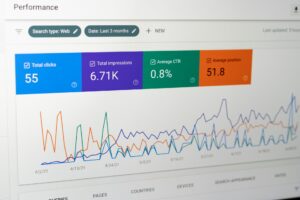
- Performance report: shows queries, pages, countries and devices, with clicks, impressions, click-through rate and average position.
- Page indexing: tells you which URLs are indexed and why others are not.
- URL Inspection: shows how Google sees a specific page and lets you request indexing.
- Sitemaps: submit your sitemap and confirm it is read correctly.
- Core Web Vitals and page experience: flags slow or unstable pages using real-user data.
- Security and manual actions: warns you about hacked content or penalties.
Why it matters for keyword research
GSC is a keyword goldmine for sites that already have traffic. Filter the Performance report for queries with plenty of impressions and an average position between 8 and 20. These are pages that nearly rank, and improving them is usually the fastest SEO win you can find.
Pros and cons
| Pros | Cons |
|---|---|
| Free and first-party | Only shows data for sites you own and verify |
| Accurate query and indexing data | No competitor data |
| Official alerts and diagnostics | Limited history and no keyword difficulty scores |
| Works for any site size | Interface offers little guidance on what to fix first |
Verdict: Set it up on day one. Everything else on this list is better when combined with Search Console data.
2. Semrush: Best All-in-One SEO Suite
Best for: marketers, agencies and growing businesses that want one platform for most tasks.
Semrush is one of the largest SEO platforms on the market, covering keyword research, competitor analysis, site audits, rank tracking, backlinks, content tools and advertising research. It also now tracks visibility in AI search, which matters more every quarter.
What it does
- Keyword Magic Tool: a huge keyword database with volume, difficulty, intent and question filters.
- Competitor analysis: see a rival’s organic keywords, top pages and traffic trends, and run gap analyses.
- Site Audit: crawls your site and ranks issues by severity.
- Position Tracking: monitors rankings by device and location.
- Backlink tools: finds link opportunities and monitors your profile.
- Content tools: topic research and writing assistance.
- AI visibility: Semrush One, introduced in 2026, tracks brand mentions and citations across Google AI Overviews, AI Mode, ChatGPT, Gemini and other AI surfaces.
Pricing snapshot
Independent trackers in 2026 list the classic plans at roughly $139.95 per month for Pro, $249.95 for Guru and $499.95 for Business when billed monthly, with about 17 percent off for annual billing. The newer Semrush One plans, which bundle AI visibility, were reported to start near $199 per month. A free account with limited daily use is available. Verify on Semrush’s pricing page, because plans and add-ons change.
Pros and cons
| Pros | Cons |
|---|---|
| Broadest feature set in one login | Pricey for solo bloggers |
| Strong keyword and competitor data | Interface can feel dense at first |
| Includes AI visibility tracking | Some content and history features sit on higher plans |
| Good reporting for teams and clients | Add-ons can increase total cost |
Verdict: The best choice if you want one subscription that covers research, audits, tracking and AI visibility. Overkill if you only publish a few articles a month.
3. Ahrefs: Best for Backlinks and Competitor Research
Best for: SEO professionals, link builders and content teams who want deep research data.
Ahrefs is widely seen as the strongest platform for backlink analysis and competitor research. Its crawler indexes a vast number of pages, and its metrics, such as Domain Rating and traffic potential, are common reference points across the industry.
What it does
- Keywords Explorer: keyword ideas with volume, difficulty and traffic potential, which estimates the total traffic a top page earns across all its keywords.
- Site Explorer: shows any domain’s backlinks, organic keywords and top pages.
- Content Explorer: finds popular content and link opportunities.
- Site Audit: technical crawling with prioritized issues.
- Rank Tracker: monitors rankings over time.
- AI search tools: Ahrefs has added brand-visibility tracking for AI answers, offered as an add-on.
- Ahrefs Webmaster Tools: a free account with limited audit and backlink data for sites you verify as the owner.
Pricing snapshot
In 2026 independent trackers list a Starter plan at about $29 per month with limited data, then Lite at roughly $129, Standard at about $249 and Advanced at around $449 per month for one user, with Enterprise pricing above that. Ahrefs generally does not offer a standard free trial of its main plans, so the free Webmaster Tools account and free standalone tools are the usual way to test it. Confirm on Ahrefs’ pricing page.
Pros and cons
| Pros | Cons |
|---|---|
| Excellent backlink and competitor data | No traditional free trial |
| Traffic potential is a smarter metric than raw volume | Usage limits and extra seats raise the cost |
| Clean, fast interface | Fewer built-in content and advertising tools than Semrush |
| Free Webmaster Tools for your own sites | Pricey for hobby projects |
Verdict: The top pick for link analysis and competitor research. If your work leans on content strategy and link building, Ahrefs is hard to beat.
4. Screaming Frog SEO Spider: Best Technical SEO Crawler
Best for: technical audits, site migrations and large content sites.
Screaming Frog is a desktop application that crawls your website the way a search engine does, then lists every URL with its status, titles, headings, canonicals, directives and more. Technical SEOs treat it as a standard tool because it shows exactly what is on every page, fast.
What it does
- Finds broken links, server errors and redirect chains
- Audits page titles, meta descriptions, headings and image alt text
- Reviews canonical tags, meta robots and directives
- Generates XML sitemaps
- Renders JavaScript pages so you see what the crawler sees (paid licence)
- Connects to Google Search Console, Google Analytics and PageSpeed Insights (paid licence)
- Schedules crawls and runs custom extraction (paid licence)
Pricing snapshot
The official site says the tool is free for crawling up to 500 URLs, with an annual licence that removes the limit and unlocks advanced features. The official GBP price is listed at about £199 per year per licence, with roughly equivalent euro and dollar prices elsewhere. Licences last one year and renew annually.
Pros and cons
| Pros | Cons |
|---|---|
| Free version works for small sites | Desktop-only, no cloud version |
| Very detailed technical data | Learning curve for advanced features |
| Low annual cost versus cloud suites | Large crawls need a capable computer |
| Integrates with Google data | Offers little keyword or backlink research |
Verdict: If your site has more than a few dozen pages, run a crawl at least quarterly. The free version is enough for most small blogs.
5. Moz Pro: Best for Beginners Who Want Clear Metrics
Best for: small businesses and newer SEOs who want guidance as well as data.
Moz is one of the oldest names in SEO, and its toolset is built around clarity. It popularized Domain Authority, a widely quoted score that predicts how well a site may rank. Moz Pro bundles keyword research, site crawling, rank tracking and link analysis in an interface designed to be easy to understand.
What it does
- Keyword Explorer: keyword suggestions with volume, difficulty and a priority score that combines several factors.
- Site Crawl: finds technical issues and explains why they matter.
- Rank Tracking: monitors keyword positions over time.
- Link Explorer: shows backlinks and Domain Authority.
- Page optimization guidance: suggests improvements for target keywords.
- Free tools: limited free searches and a browser toolbar.
Pros and cons
| Pros | Cons |
|---|---|
| Beginner-friendly explanations | Smaller index than the largest platforms |
| Clear priority scoring | Fewer advanced competitor features |
| Trusted brand with long track record | No deep content or AI visibility suite comparable to Semrush One |
| Good learning resources | Paid-only for full access |
Verdict: A great stepping stone if big platforms feel overwhelming. Check current plans on Moz’s site, because pricing and limits change.
6. Surfer SEO: Best for On-Page Content Optimization
Best for: writers and content teams who want data-driven guidance while they write.
Surfer SEO focuses on one thing: helping you write pages that cover a topic as thoroughly as the pages already ranking for it. You enter a keyword, and Surfer analyzes top results to suggest headings, terms, questions and length, then scores your draft as you edit.
What it does
- Content Editor: real-time scoring and term suggestions based on top-ranking pages.
- Topical research and outlines: suggests structure and sub-topics.
- Audit tools: compares existing pages to current search results and suggests updates.
- Internal linking suggestions: points to relevant pages on your own site.
- AI writing assistance: drafting help inside the editor, depending on plan.
How to use it wisely
A high content score does not guarantee rankings. Treat it as a checklist for coverage, not a target to game. Write for the reader first, use the tool to spot missing sub-topics, and ignore suggestions that would make the page worse. Original insight, real examples and clear expertise still decide who wins.
Pros and cons
| Pros | Cons |
|---|---|
| Speeds up content briefs and updates | Not a full SEO suite, so you still need research tools |
| Clear, visual editor | Risk of over-optimizing to the score |
| Useful for refreshing old posts | Subscription cost adds up for solo writers |
| Works well with a research platform | Plans and credits vary, so check current pricing |
Verdict: Valuable if you publish a lot of content and want consistency. Skip it if you are just starting and still learning the basics.
7. Google PageSpeed Insights: Best Free Speed and Core Web Vitals Check
Best for: anyone who wants to know whether pages are fast and stable enough.
PageSpeed Insights (PSI) is Google’s free tool for measuring page performance. It reports two kinds of data. Lab data comes from a simulated test using Lighthouse, and field data comes from real Chrome users over time when enough traffic exists. The field data is what matters most, because it reflects real visitors on real devices.
What it measures
- Largest Contentful Paint (LCP): how quickly the main content loads
- Interaction to Next Paint (INP): how quickly the page responds to taps and clicks
- Cumulative Layout Shift (CLS): how much the layout jumps around while loading
- Diagnostics and opportunities: specific suggestions such as compressing images, reducing unused code or deferring scripts
Tips for using it
- Test your most important templates (homepage, a typical article, a category page), not just one URL.
- Check mobile first, because most searches happen on phones.
- Fix the biggest wins first. Oversized images are the most common cause of slow pages on content sites. If your articles use many graphics, see our guides to AI illustration generators and AI infographic generators, and always compress and resize visuals before publishing.
- Retest after changes, but allow time for field data to update.
Pros and cons
| Pros | Cons |
|---|---|
| Free and from Google | Tests one URL at a time |
| Combines lab and real-user data | Lab scores fluctuate between runs |
| Clear, prioritized suggestions | Does not track change over time without extra tools |
| No sign-up required | Suggestions can be technical for non-developers |
Verdict: Run it on your key templates every month. Speed alone rarely makes a site rank, but a slow, unstable site loses readers and wastes your other SEO work.
8. Rank Math: Best WordPress SEO Plugin for Features per Dollar
Best for: WordPress users who want advanced features without paying for them upfront.
Rank Math is a WordPress plugin that adds on-page SEO controls, schema markup, sitemaps, redirects and Search Console data inside your dashboard. Its free version is unusually generous, which is why many reviewers in 2026 favor it on features per dollar.
What it does
- Title and meta description templates and per-post controls
- Multiple focus keywords per post in the free version (reviews report up to five)
- A broad set of schema (structured data) types
- XML sitemaps and a built-in redirection manager
- 404 monitoring
- Google Search Console integration inside WordPress
- Optional AI content assistant credits, depending on plan
- A setup wizard that configures the basics
Pricing snapshot
The core plugin is free. Independent comparisons in 2026 list the Pro plan from roughly $59 per year, or about $6 a month billed annually, with higher tiers for agencies. Check Rank Math’s own site for current offers.
Pros and cons
| Pros | Cons |
|---|---|
| Many advanced features are free | A large feature set can overwhelm beginners |
| Lightweight and fast to configure | Migrating from another plugin needs care |
| Strong schema options | Some advanced add-ons are Pro only |
| Affordable Pro plans | Smaller install base than Yoast, so fewer legacy tutorials |
Verdict: A smart default for most new WordPress sites and for anyone managing several sites on a budget.
9. Yoast SEO: Best Guided WordPress SEO Plugin
Best for: WordPress users who want clear, step-by-step on-page guidance.
Yoast SEO is one of the most widely installed WordPress SEO plugins. Its strength is a clear traffic-light style workflow that tells you what to improve in each post, plus readability checks and long-standing community support.
What it does
- Meta title and description editing with previews
- Focus keyphrase and readability analysis
- XML sitemaps and basic schema output
- Breadcrumb and canonical controls
- Premium features such as multiple focus keyphrases, a redirect manager and extra AI assistance
Pricing snapshot
Yoast SEO is free in its core version. Comparisons in 2026 place Yoast SEO Premium at roughly $99 to $119 per year for one site, depending on the source and promotions. Verify on Yoast’s site.
Pros and cons
| Pros | Cons |
|---|---|
| Easy, guided workflow | Free version has fewer features than Rank Math’s free version |
| Huge community and documentation | One focus keyphrase in the free version |
| Strong reputation and long track record | Premium is pricier per site |
| Good readability tools | Scores are guidance, not ranking guarantees |
Verdict: A good fit for editors and writers who value guidance over configuration. Whichever plugin you choose, install only one, and treat its green lights as helpful hints, not proof that a page will rank.
Rank Math vs Yoast SEO: quick comparison
| Feature | Rank Math | Yoast SEO |
|---|---|---|
| Free version depth | Very generous | Solid basics |
| Focus keywords (free) | Multiple | One |
| Redirect manager | Free | Premium |
| Schema options | Broad | More limited in free |
| Learning curve | Moderate | Gentle |
| Paid entry price | Lower | Higher |
| Best for | Feature-hungry, multi-site owners | Guided, writer-focused workflows |
10. Ubersuggest: Best Budget Keyword Research Tool
Best for: solo creators and small sites who want research data without a large bill.
Ubersuggest is a lower-cost keyword and SEO tool with keyword ideas, a site audit, rank tracking and backlink data. It does not have the data depth of Semrush or Ahrefs, but it is simple, and for a small site that is often exactly what is needed.
What it does
- Keyword ideas with volume, difficulty and CPC
- Content ideas from top-performing pages
- Basic site audits and rank tracking
- Competitor and backlink overviews
Pricing snapshot
Independent 2026 trackers list a free tier with a few searches per day, an Individual plan around $29 per month, and a one-time lifetime option around $290. Confirm current offers on the vendor’s site.
Pros and cons
| Pros | Cons |
|---|---|
| Affordable with a free tier | Smaller data depth than premium suites |
| Simple interface | Fewer advanced competitor and link features |
| Lifetime option exists | Data accuracy varies for niche terms |
| Good for learning | AI visibility features are more limited |
Verdict: A sensible first paid tool for solo bloggers. Move to a larger suite when your site, or your team, outgrows it.
Honorable Mentions
These tools did not make the top ten but are worth knowing.
| Tool | Why it’s useful |
|---|---|
| Google Analytics 4 | Free behavior and conversion tracking that shows what visitors do after they arrive |
| Google Trends | Free view of rising and seasonal topics |
| Bing Webmaster Tools | Free data for Bing, which also feeds some AI products |
| Sitebulb | Visual desktop crawler with guided audit hints |
| Clearscope | Content optimization alternative to Surfer |
| AnswerThePublic | Question-based keyword ideas |
| Keywords Everywhere | Browser extension showing keyword data on the results page |
| Otterly.AI and similar | Dedicated tracking of brand mentions across AI search engines |
Free vs Paid SEO Tools: What You Really Get
| Need | Free options | When to pay |
|---|---|---|
| Search performance | Search Console | Never; it is the source of truth |
| Site speed | PageSpeed Insights | If you need ongoing monitoring |
| Technical audit | Screaming Frog (500 URLs), Ahrefs Webmaster Tools | When your site exceeds the free crawl limit or you need scheduling |
| Keyword ideas | Autocomplete, Trends, People Also Ask | When you need volume and difficulty at scale |
| Competitor research | Manual SERP checks | When you compete in crowded niches |
| Backlinks | Free checkers with limits | When link building becomes a core strategy |
| On-page help | Rank Math or Yoast free | When you want deeper content scoring |
| AI visibility | Manual prompt testing | When you manage many brands or topics |
The rule of thumb: pay when the time saved is worth more than the subscription. If you spend two hours a week on manual research, a tool that cuts that to thirty minutes usually pays for itself.
Which SEO Tool Stack Is Right for You?
| Your situation | Recommended stack | Rough monthly cost |
|---|---|---|
| New blogger, near-zero budget | Search Console, PageSpeed Insights, Screaming Frog free, Rank Math or Yoast free, Google Trends | Free |
| Solo creator or small site | The free stack plus Ubersuggest | Around $29 |
| Growing content site or publisher | Free stack plus Semrush or Ahrefs, optionally Surfer | Roughly $130 to $250 and up |
| Technical or large site | Search Console, Screaming Frog paid, Ahrefs or Semrush | Varies by plan |
| Agency | Semrush or Ahrefs at a higher tier, Screaming Frog, reporting tools | Several hundred dollars |
| WordPress business site | Rank Math or Yoast, Search Console, one paid platform | Plugin cost plus platform |
SEO Tools in the Age of AI Search
Search now includes Google AI Overviews, AI Mode and chatbots, so the toolbox is expanding. The main change is that tools now try to answer a new question: not only “where do I rank?” but “am I mentioned or cited in AI answers?”
Semrush, Ahrefs and several specialist tools now offer AI visibility features that track brand mentions, citations and the sources AI systems use for a given prompt. Some also offer prompt research, which turns classic keywords into the longer, conversational queries people type into AI products.
Two cautions apply. First, AI answers change frequently. An April 2026 SISTRIX analysis reported by PPC Land found that Google AI Overviews were completely stable for just over half of queries, while AI Mode rotated about 56 percent of its citations each week and ChatGPT about 74 percent. Treat AI visibility as a trend to monitor, not a rank to win once. Second, numbers for AI prompt volume are mostly modeled estimates, so use them directionally.
Practical steps:
- Keep doing classic research. Our guide on how to do keyword research covers the foundations and the AI-ready workflow.
- Test your key questions manually in Google, ChatGPT, Perplexity and Gemini each month.
- Add an AI visibility tool only when you have enough content and traffic to make tracking worthwhile.
- Write for extraction: direct answers, clear headings, tables and visible FAQs.
How to Use SEO Tools Without Wasting Money
- Start with a question, not a tool. Decide what you need to learn, then pick the tool.
- Use trials and free tiers first. Test with a real project before committing.
- Pay annually only after a trial month. Annual billing saves roughly a sixth, but only if you will use the tool.
- Cross-check numbers. Search volume and difficulty differ across tools. Treat them as relative guides.
- Review your stack twice a year. Cancel what you do not open.
- Never let a score replace judgment. Content scores, health scores and authority metrics are helpers, not goals.
Common Mistakes When Choosing SEO Tools
| Mistake | Why it hurts | Better approach |
|---|---|---|
| Buying several overlapping suites | Pays twice for the same data | Pick one main platform |
| Skipping Search Console | Misses first-party data | Verify your site first |
| Chasing green plugin lights | Optimizes for a score, not readers | Use plugin advice as a checklist |
| Trusting one tool’s numbers | Estimates vary | Compare two sources |
| Ignoring technical health | Great content cannot rank if it is not crawled | Run a crawl each quarter |
| Tracking too many keywords | Creates noise | Track priority pages and topics |
| Forgetting to act on reports | Data without action wastes the subscription | Schedule a monthly fix-it session |
Frequently Asked Questions About SEO Tools
What are SEO tools?
SEO tools are software products that help you research keywords, audit your site, track rankings, analyze backlinks and optimize content so your pages appear in search results and AI answers.
What is the best free SEO tool?
Google Search Console is the best free SEO tool because it shows real search data from Google for your own site. PageSpeed Insights, Google Trends and the free tiers of Ahrefs Webmaster Tools and Screaming Frog are strong companions.
What is the best SEO tool overall?
It depends on your goals. Semrush is the strongest all-in-one choice, while Ahrefs leads for backlinks and competitor research. For most small sites, the best combination is Search Console plus one affordable paid tool.
Semrush or Ahrefs: which should I choose?
Choose Semrush if you want a broad marketing suite with content, advertising and AI visibility features. Choose Ahrefs if backlinks, competitor research and traffic-potential data matter most. Both are excellent, so test free resources and decide on workflow and budget.
Do I need a paid SEO tool to rank on Google?
No. Many sites rank using only free tools and good content. Paid tools save time and add competitor and link data, which becomes more valuable in competitive niches.
Which SEO tool is best for beginners?
Start with Search Console and a WordPress plugin such as Rank Math or Yoast. If you want a paid tool, Moz Pro and Ubersuggest are easier to learn than the largest suites.
What is the best SEO plugin for WordPress?
Rank Math and Yoast SEO are the two leading options. Rank Math offers more features in its free version, while Yoast offers a guided workflow. Use only one at a time.
What is the best tool for technical SEO?
Screaming Frog SEO Spider is a standard choice for technical audits. Ahrefs and Semrush include cloud-based site audits that are easier to schedule, and Google Search Console shows what Google itself reports.
Can AI tools replace SEO tools?
No. AI assistants are useful for brainstorming, clustering and outlining, but they do not provide reliable search volume, rankings or backlink data. Use them alongside dedicated SEO platforms and always verify their suggestions.
How do SEO tools track AI search visibility?
Tools such as Semrush One, Ahrefs add-ons and specialist platforms run sets of prompts across AI products like Google AI Overviews, AI Mode, ChatGPT, Gemini and Perplexity, then record whether your brand is mentioned or cited and which sources are used.
How much should I spend on SEO tools?
A new site can spend nothing. A solo creator might spend about $30 a month. A growing publisher often spends $130 to $250 a month for a main platform. Spend more only when the time saved or traffic gained clearly justifies it.
How often should I use SEO tools?
Check Search Console weekly, run a technical crawl and speed test monthly or quarterly, and review keywords, competitors and AI visibility monthly. The habit matters more than the tool.
Final Verdict: Build a Small Stack and Use It Consistently
The best SEO tools are the ones you open regularly and act on. Start with the free essentials: Google Search Console, PageSpeed Insights, and a crawler such as Screaming Frog. Add a WordPress plugin like Rank Math or Yoast if you use WordPress. When you are ready to invest, pick one main platform, Semrush for breadth or Ahrefs for link and competitor depth, and consider Surfer SEO if content optimization is your bottleneck.
Then build the habit. Review your data monthly, fix what matters, publish what your research supports, and test how AI answers treat your topics. The tools only give you information. The results come from what you do with it.
Ready to put your tools to work? Start with our step-by-step guide on how to do keyword research.

Sujan Pariyar is an international writer. He frequently writes about tech, AI, business, and travel on Silicon Valley Times, NYWeekly, Washington Magazine, Huffpost, Thrive Global and more.




[…] a broader overview of the whole category, see our guide to the best SEO tools. This page goes deeper on five specific […]