Quick Answer
ChatGPT is an AI assistant you talk to in plain language to get help with writing, research, analysis, coding, brainstorming, and dozens of other everyday tasks. To start, go to chatgpt.com, create a free account, and type a question or request into the chat box the same way you’d ask a knowledgeable colleague. The free tier is genuinely capable for most everyday use; paid tiers unlock higher usage limits and more advanced reasoning for complex tasks. The single biggest factor in getting useful results isn’t which exact words you use — it’s being specific about what you actually want, providing real context, and following up rather than starting over when a response isn’t quite right.
What ChatGPT Actually Is
ChatGPT is built by OpenAI on top of a large language model — an AI system trained on vast amounts of text to understand and generate human language. In practical terms, this means you can type a question, a request, or even a rough, unfinished thought, and ChatGPT will respond conversationally, the same way a knowledgeable person would if you asked them directly. Unlike a traditional search engine, which returns a list of links for you to sort through, ChatGPT synthesizes an actual answer, and you can continue the conversation to refine, correct, or build on that answer in real time.
It’s worth understanding one important limitation from the start: ChatGPT can sometimes generate incorrect or fabricated information stated confidently, a phenomenon called hallucination. This doesn’t make the tool unreliable for most everyday uses, but it does mean anything factually important — a statistic, a specific claim, a piece of advice with real consequences — is worth double-checking rather than accepted purely on ChatGPT’s word.
Getting Started: Your First Steps
Creating an account takes under a minute — visit chatgpt.com, sign up with an email address or an existing Google or Microsoft account, and you’re in. There’s no credit card required for the free tier, and no complicated setup beyond that initial sign-up.
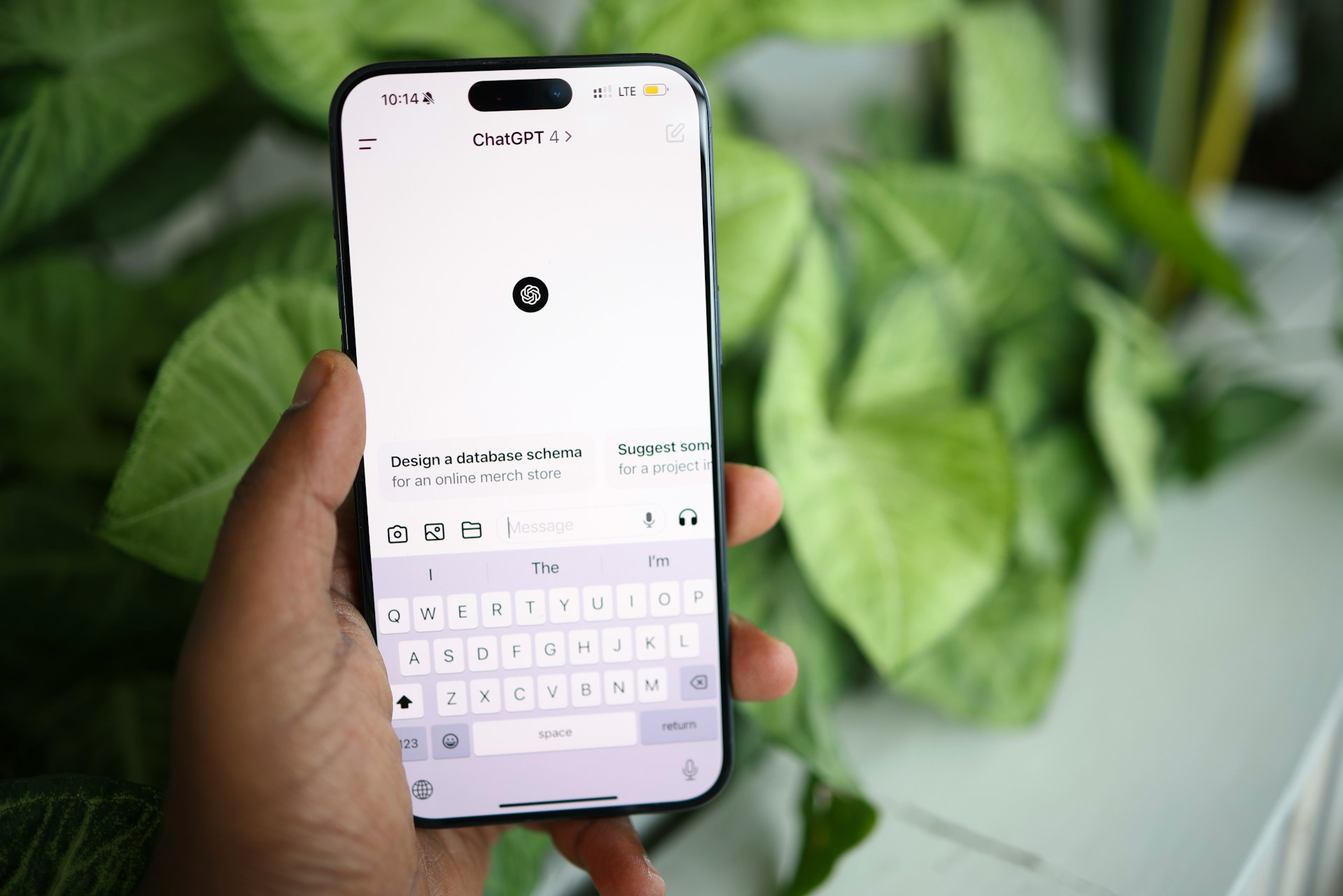
Once you’re in, the interface is intentionally simple: a text box at the bottom of the screen where you type your message, and a running conversation above it showing your messages and ChatGPT’s responses. There’s no special syntax or command structure required — you communicate with it the same way you’d write a message to a person, in complete sentences describing what you want.
Your first message can be as simple as a direct question (“What’s a good recipe for a quick weeknight dinner using chicken and rice?”) or a more open request (“Help me write a birthday message for my sister”). ChatGPT will respond, and you can keep the conversation going — asking for changes, more detail, or a completely different direction — within that same chat.
What ChatGPT Can Actually Help You Do
The range of practical, everyday uses is broader than most new users initially expect.
Writing and editing. Drafting an email, improving a paragraph you’ve already written, checking grammar, or helping you find the right tone for a difficult message are all things ChatGPT handles well, provided you give it your actual situation and details rather than a vague description.
Research and explanation. Asking ChatGPT to explain a concept you don’t understand, summarize a complex topic, or walk you through the basics of something new works well, especially when you specify your existing level of knowledge so the explanation is pitched appropriately.
Brainstorming and planning. Generating a list of ideas, working through the pros and cons of a decision, or building out a rough plan for a project or event are all strong, practical use cases, particularly when you treat the conversation as a back-and-forth rather than expecting a single perfect answer on the first try.
Learning and studying. Explaining a difficult concept in a different way, generating practice questions, or working through a problem step by step are genuinely useful applications for students and lifelong learners alike.
Everyday problem-solving. From drafting a polite but firm complaint email to figuring out what to cook with the ingredients you already have, a huge share of ChatGPT’s real-world daily use is simply practical, everyday help rather than anything technical or specialized.
Coding and technical tasks. For anyone learning to code or working on a technical project, ChatGPT can explain code, help debug an error, or draft a starting piece of code to build from — though for serious, ongoing development work, dedicated coding assistants built specifically for that purpose offer more depth.
Free vs. Paid: What You Actually Get
The free tier of ChatGPT is genuinely capable for the vast majority of everyday use — writing help, research, brainstorming, general questions — with usage limits that reset regularly rather than a one-time trial. Paid tiers exist for people who want higher usage limits, access to more advanced reasoning for complex tasks, and additional features like more extensive file uploads or longer conversation memory.
For a new user, there’s no need to start with a paid plan — using the free tier for a few weeks is the best way to understand whether the additional capability of a paid tier would actually matter for how you personally use the tool, rather than upgrading before you know what you need.
How to Write Better Prompts (Without Overthinking It)
The single most common misconception among new users is that there’s a secret trick or magic phrasing that unlocks dramatically better results. In practice, the improvement comes almost entirely from being specific and providing real context, not from any clever wording.
Compare a vague request — “write me an email” — against a specific one: “Write a short, polite email to my landlord asking about a delayed repair to my kitchen sink, mentioning it’s been three weeks since I first reported it.” The second version, with real, specific detail, will produce a dramatically more useful result than the first, not because of any special technique, but because ChatGPT now has something concrete to work with instead of guessing at your actual situation.
A few practical habits make a real difference: mention who the content is for and what tone you want, provide any relevant background information rather than assuming ChatGPT already knows it, and don’t hesitate to ask for changes — “make this shorter,” “make this sound more casual,” “try a different approach” — rather than starting a new conversation from scratch each time. Our library of over 150 ready-to-use prompts is a practical way to see this principle in action across dozens of real, specific tasks you can adapt directly to your own situation.
Common Beginner Mistakes to Avoid
Trusting every answer as automatically correct. As covered above, ChatGPT can generate confident-sounding but incorrect information. For anything factually important, verify independently rather than treating its answer as a final, authoritative source.
Being too vague and expecting a great result anyway. The gap between a vague prompt and a specific one is the single biggest factor in output quality — a little extra detail up front saves significant back-and-forth later.
Giving up after one unsatisfying response. ChatGPT conversations work best as a back-and-forth. If a first response isn’t quite right, telling it specifically what to change almost always works better than abandoning the attempt.
Sharing sensitive personal or financial information unnecessarily. As with any online service, it’s worth being thoughtful about what personal details you share in a conversation, particularly account numbers, passwords, or highly sensitive personal information that isn’t actually necessary for the task at hand.
Assuming it replaces professional advice. For anything involving legal, medical, or serious financial decisions, ChatGPT can help you understand a topic and prepare questions, but it isn’t a substitute for a qualified professional’s actual advice for your specific situation.
How ChatGPT Compares to Other AI Assistants
ChatGPT isn’t the only AI assistant available, and it’s worth knowing that Claude and Google’s Gemini are the two other major options, each with genuine strengths of their own. Our full, detailed comparison of all three covers this in depth, but as a simple starting point: ChatGPT is an excellent, well-rounded generalist with a broad set of features and integrations, making it a strong first choice for someone just getting started with AI assistants generally.
Building Your AI Vocabulary as You Go
As you use ChatGPT more, you’ll naturally run into terms — hallucination, context window, prompt, token — that are worth understanding beyond a surface level. Our complete AI glossary covers these and dozens of other terms in plain language, useful as a quick reference whenever an unfamiliar term comes up in an article, a product description, or a conversation about AI.
What to Try Next Once You’re Comfortable
Once the basics feel natural, a few next steps are worth exploring. Try using ChatGPT for a genuinely useful real task in your life or work rather than only experimenting — drafting a real email, planning a real event, working through a real decision. Explore a categorized library of prompts built around specific, common tasks to see a wider range of what’s possible beyond what you might think to ask on your own. And if you’re using ChatGPT for work specifically — writing, career development, or building a business — this site’s broader guides on AI-assisted personal branding, job searching, and AI agents for more advanced automation go well beyond the basics covered in this beginner’s guide.
Frequently Asked Questions
Is ChatGPT free to use? Yes, ChatGPT has a genuinely usable free tier with regularly resetting usage limits. Paid tiers exist for higher usage limits and access to more advanced features, but they aren’t necessary to start using the tool effectively.
Do I need any technical skill to use ChatGPT? No — you communicate with ChatGPT in plain, everyday language, the same way you’d write a message to another person. No coding or technical knowledge is required for the vast majority of everyday uses.
Can ChatGPT give me wrong information? Yes, this is a genuine and known limitation called hallucination, where the AI generates incorrect information confidently. For anything factually important, it’s worth verifying independently rather than trusting a single answer at face value.
What’s the difference between ChatGPT, Claude, and Gemini? All three are AI assistants built by different companies (OpenAI, Anthropic, and Google respectively), each with particular strengths. ChatGPT is known for being a strong, well-rounded generalist with a broad feature set, making it a common first choice for new users.
Is it safe to share personal information with ChatGPT? It’s reasonable to share general context needed for a task, but it’s worth being thoughtful about sharing highly sensitive information like passwords, financial account numbers, or other data that isn’t actually necessary for what you’re asking it to help with.
How do I get better results from ChatGPT? Be specific about what you want, provide real context and details rather than a vague description, and treat the conversation as a back-and-forth — asking for changes or refinements — rather than expecting a perfect result from a single message.
Conclusion
Getting started with ChatGPT doesn’t require any special technical knowledge or a secret set of tricks — it requires signing up, being specific about what you actually want, and treating the conversation as an ongoing back-and-forth rather than a single question-and-answer exchange. The tool is capable of far more than most new users initially realize, from everyday writing help to research, brainstorming, and technical problem-solving, and the free tier is genuinely sufficient to explore all of it before ever considering a paid upgrade.
The best way to actually get comfortable is simply to start using it for something real in your own life or work today, and to keep refining how you ask for what you need as you go.







[…] How to Use ChatGPT in 2026: The Complete Beginner’s GuideBy Tech Expert TeamA complete, beginner-friendly guide to using ChatGPT in 2026 — how to start, what it can actually do, how to write better prompts, and how to avoid the most common mistakes. Leave a Comment […]
[…] How to Use ChatGPT in 2026: The Complete Beginner’s GuideBy Tech Expert TeamA complete, beginner-friendly guide to using ChatGPT in 2026 — how to start, what it can actually do, how to write better prompts, and how to avoid the most common mistakes. 1 Comment […]
[…] How to Use ChatGPT in 2026: The Complete Beginner’s GuideBy Tech Expert TeamA complete, beginner-friendly guide to using ChatGPT in 2026 — how to start, what it can actually do, how to write better prompts, and how to avoid the most common mistakes. 2 Comments […]