
I get it. You have a brilliant idea for a business, a side hustle, or a personal brand — but the thought of spending weeks (or months) and thousands of dollars on designers, copywriters, and strategists feels overwhelming. What if I told you that in 2026, you can walk out of a single weekend with a complete, professional-grade brand identity? Logo, color palette, typography, brand voice, guidelines, social assets, and even a basic website — all powered by AI.
I’ve done this myself and helped dozens of founders and creators do the same. The results? Polished brands that look like they cost $10k+ but were built in 8–12 focused hours. This isn’t about cutting corners or making something generic. It’s about using today’s smartest AI tools to move fast while keeping the output human-centered and authentic.
In this ultimate 2026 guide, I’ll walk you through a proven, step-by-step weekend workflow. You’ll need nothing more than a laptop, internet, and a clear vision. By Sunday night, you’ll have everything you need to launch confidently.
Let’s make your brand real.
Why Building a Brand in One Weekend Is Now Possible
Traditional branding used to be slow and expensive because every element required specialists. In 2026, AI has democratized the process. Tools like Looka, Design.com, Recraft, Kittl, Midjourney, Canva Magic Studio, and advanced language models (Claude 4, Gemini 2.5, Grok 3) handle the heavy lifting while you provide the soul — your story, values, and audience insight.
The key is a structured workflow. Without it, you’ll generate pretty assets that don’t hang together. With it, you’ll create a cohesive brand that feels intentional and premium.
Realistic expectations: This weekend sprint gives you a strong foundation. You’ll iterate later, but you’ll have something launch-ready by Monday.
Friday Evening: Define Your Brand Strategy (2–3 Hours)
Every strong brand starts with clarity, not pixels. Spend the first session nailing the fundamentals.
Step 1: Answer the Core Questions Use Claude or ChatGPT with this prompt:
“Act as a senior brand strategist. Help me define my brand for [your business idea]. Here’s what I know: [describe your product/service, target audience, unique value, competitors, personality traits]. Generate: Brand purpose, mission, vision, core values, target personas (3), and key messaging pillars.”
Refine the output until it feels right. This becomes your North Star.
Step 2: Develop Your Brand Personality Decide on a voice archetype (e.g., “Bold Innovator,” “Warm Mentor,” “Playful Rebel”). Create a simple Brand Voice Guide:
- Tone words (3–5 positives + what to avoid)
- Example sentences
- Vocabulary list
Pro Tip: Save everything in a Notion page or Google Doc titled “Brand Foundation 2026.” This document will feed into AI tools later for consistency.
Saturday Morning: Create Your Visual Identity (3–4 Hours)
This is where the magic happens.
Step 1: Generate Your Logo and Core Assets Top recommendations in 2026:
- Looka or Design.com — Best all-in-one for complete brand kits.
- Recraft or Kittl — Excellent for vector control and consistency.
- Midjourney (via Discord) — For highly creative, custom concepts.
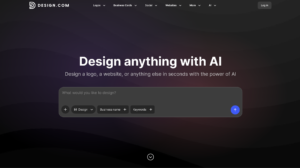
Start with Design.com or Looka. Input your brand name, industry, and personality descriptors. Generate 20–30 variations. Pick 3 favorites and refine.
Once you have a primary logo:
- Generate variations (horizontal, icon-only, monochrome, dark/light modes).
- Auto-generate color palette (usually 5–7 colors with hex codes).
- Get typography recommendations (primary + secondary fonts).
Step 2: Build the Full Brand Kit Most of these platforms now output a complete kit automatically:
- Business cards
- Social media templates
- Letterhead
- Favicon
- Brand guidelines PDF (often AI-generated)
Export everything in high-res vector formats (SVG/PDF).
Step 3: Create Supporting Visuals Use Recraft or Midjourney for:
- Hero images
- Product mockups
- Pattern libraries
- Icon sets
Prompt example for Midjourney:
“Professional hero image for [brand name], [describe vibe], modern tech office setting, diverse team, cinematic lighting, 8k –ar 16:9 –stylize 250”
Maintain consistency by uploading your logo as a style reference.
Saturday Afternoon: Craft Your Brand Voice & Messaging (2–3 Hours)
A beautiful logo without words is just decoration.
Step 1: Build a Robust Brand Voice Guide Feed your earlier strategy into Claude or Jasper with this prompt:
“Create a detailed brand voice guide based on this foundation: [paste strategy]. Include tone scales for different channels (website, social, email, sales), do’s and don’ts, sample copy for homepage, about page, and social posts.”
Step 2: Generate Key Copy
- Homepage headline + subheadline
- About Us story
- Tagline options
- Product descriptions
- Social bio and first 10 posts
Use Claude for depth or Jasper if you want strong brand-voice training.
Step 3: Test for Authenticity Read everything out loud. Does it sound like you? Tweak manually — AI is a collaborator, not the final voice.
Saturday Evening: Design Touchpoints & Assets (2 Hours)
Turn your kit into usable materials.
Recommended Stack:
- Canva Magic Studio — For quick social templates, presentations, and mockups.
- Figma (with AI plugins) — For more advanced layouts if needed.
- Framer or Hostinger AI — For a basic one-page website.
Create:
- Instagram/Facebook/TikTok templates (9–12 posts)
- LinkedIn banner + profile assets
- Email signature
- Pitch deck (10 slides)
- Basic website (homepage + about + contact)
Sunday Morning: Compile Professional Brand Guidelines (2 Hours)
This is what separates amateur from pro.
Create a 10–15 Page Brand Bible using Canva or Notion:
- Logo usage rules
- Color palette with usage
- Typography scale
- Voice guidelines
- Do’s and Don’ts
- Sample applications
AI Hack: Upload your assets and strategy into Claude and ask it to write the full guidelines document. Then format beautifully in Canva.
Sunday Afternoon: Launch-Ready Polish & Testing (2–3 Hours)
Step 1: Set Up Your Digital Home
- Register domain (Namecheap or GoDaddy)
- Build simple site on Framer, Carrd, or Design.com’s AI builder
- Create social profiles with consistent assets
Step 2: Consistency Check Review every asset against your guidelines. Fix any mismatches.
Step 3: Get Quick Feedback Share your brand kit with 3–5 trusted people (or post anonymously in relevant communities). Ask: “Does this feel clear, professional, and memorable?”
Step 4: Plan Your First Content Generate a 30-day content calendar using AI. Align it with your new voice.
Tools Stack Summary for 2026 (The Ultimate Weekend Arsenal)
| Category | Top Tool(s) | Why It Wins | Pricing (approx) |
|---|---|---|---|
| Strategy & Voice | Claude 4 / Jasper | Deep reasoning + brand training | Free – $39/mo |
| Logo & Brand Kit | Design.com / Looka | Complete kits in minutes | Free – $5–96 one-time |
| Creative Visuals | Recraft / Midjourney / Kittl | Vectors + consistency | $10–20/mo |
| Quick Design | Canva Magic Studio | Templates + Magic tools | Free – Pro $15/mo |
| Website | Framer / Design.com AI | Fast, beautiful sites | Free – $15/mo |
| Guidelines | Canva + Claude | Professional PDFs | Free |
Common Pitfalls to Avoid
- Skipping strategy — You’ll end up with pretty but meaningless assets.
- Over-relying on one tool — Combine 3–4 for best results.
- Ignoring consistency — Always reference your kit.
- Perfectionism — Launch imperfectly and refine based on real customer feedback.
- Forgetting legal basics — Check trademark availability for your name and logo.
Real Success Stories from This Workflow
Founders using similar 2026 processes have launched brands that secured funding, gained thousands of followers in weeks, and looked far more established than they were. One solopreneur in the wellness space built her entire identity on Saturday, launched her site Sunday, and had her first paying client by Wednesday.
Your Brand Is Ready — Now What?
By the end of this weekend, you won’t just have assets. You’ll have a clear, cohesive identity that you can be proud of and that actually works in the market.
Print your guidelines. Set your social profiles. Publish your first post using your new voice.
Then celebrate — you just did what used to take months.
The AI tools are incredible, but the heart of your brand is still you. Use them as accelerators, not replacements for your vision.
Ready to start? Open a fresh Notion page right now and begin with the strategy questions.
What’s your brand idea? Drop it in the comments — I or our community might even help refine the first prompt.
This guide was written in June 2026 for latechpost.com. The AI landscape moves fast — the principles stay the same. Bookmark this page and revisit as you build.





[…] economy increasingly powered by AI tools (content generation, personalization, analytics). She’s integrating AI thoughtfully—using it to enhance creator tools without commoditizing their authentic […]
[…] else here closes that loop. The others get you an image file. Design.com gets you a finished, on-brand […]