Quick Answer: Recraft V4.1 is the best AI generator for professional logo and brand identity design in 2027 because it outputs native, infinitely scalable vector files (SVGs) and includes a dedicated Logo Studio with brand books and mockup previews. Choose Ideogram 3.0 if your logo relies heavily on complex typography and multi-word lockups, and choose Midjourney V8.2 for early-stage mood boards, 3D mascot concepts, and photorealistic brand campaign visuals.
Designing a brand identity in 2027 looks completely different than it did two years ago. Early AI image tools struggled with warped lettering, muddy gradients, and low-resolution raster exports that broke the moment a founder tried to print them on packaging or scale them for a 4K header.
Today, the top platforms have diverged into distinct specialties. While traditional template-based platforms covered in our 7 Best AI Logo Makers roundup give beginners guided wizards, generative foundation models offer far deeper creative control. To help founders, brand designers, and marketers choose the right stack without wasting subscription budgets, we tested the three leading AI design engines—Recraft (V4.1), Ideogram (3.0), and Midjourney (V8.2)—across vector scalability, typography accuracy, brand consistency, and commercial licensing.
At-a-Glance Comparison: Recraft V4.1 vs. Ideogram 3.0 vs. Midjourney V8.2
| Feature / Criteria | Recraft V4.1 | Ideogram 3.0 | Midjourney V8.2 |
|---|---|---|---|
| Best For | Production-ready SVG logos & brand kits | Typographic wordmarks, badges & posters | Brand mood boards, 3D mascots & campaign art |
| Native Vector (SVG) Export | Yes (True editable vector paths) | No (Raster PNG/JPG only; requires external vectorizers) | No (Raster output up to 2K via --hd) |
| Typography & Text Accuracy | High (Clean single-word & monogram marks) | Industry-Leading (90–95% multi-word accuracy) | Good (Much improved in V8 using quotation marks) |
| Brand System Tools | Dedicated Logo Studio, color palettes & mockups | Style references (up to 3 images) & Canvas Editor | Moodboards, Style References & Edit Model |
| Free Plan Available? | Yes (3 generations/day; public, non-commercial) | Yes (Weekly credits; public images) | No (Paid plans only) |
| Starting Paid Price | $10/mo (billed annually) | $15/mo billed annually ($20/mo monthly) | $8/mo billed annually ($10/mo monthly) |
How We Tested Each Platform
To mirror a real-world startup rebrand, we ran each engine through four standardized brand design benchmarks:
- Geometric Icon + Wordmark Lockup: Generating a minimalist fintech mark with clean negative space and legible sans-serif lettering.
- Multi-Word Emblem & Badge Design: Rendering curved text around a circular specialty coffee roaster crest without spelling glitches.
- Monochrome & Tiny-Size Scalability: Shrinking each output down to a 32×32 pixel browser favicon and converting it to pure black-and-white to check silhouette clarity.
- Full Brand Kit Expansion: Extending the winning logo into matching social banners, packaging mockups, and cohesive hex color systems.
1. Recraft V4.1: Best Overall for Scalable Vector Logos & Brand Kits
If your goal is to walk away with an actual logo file you can send straight to a web developer, print shop, or merch vendor, Recraft V4.1 is the clear winner.
Unlike diffusion models that paint pixels and force you to trace them later, Recraft generates native SVG vectors with clean, editable anchor points and flat color layers. Following its late-2026 Studio update, Recraft also introduced Logo Studio, a workflow built specifically around brand identity creation—making it a standout in our broader 10 AI Tools for Logo Graphic Design directory.
Why It Stands Out for Brand Design
- True Vector Output: Generating with the
Recraft V4.1 VectororVector Promodel produces crisp geometric marks without jagged edges or artifact noise. You can open the exported.svgdirectly in Figma or Adobe Illustrator and adjust individual curves. - End-to-End Logo Studio: You can generate four logo directions from a single brief, lock in custom hex color palettes, preview designs on real-world product mockups, and export mini brand guidelines.
- Four-Part Logo Family Consistency: In our testing, Recraft V4.1 was the most reliable engine for generating horizontal, stacked, monogram, and app-icon variations that actually look like they belong to the same company.
- Multi-Model Flexibility: Paid subscribers can also access external models like Flux and Ideogram directly inside the Recraft canvas when they want to mix raster textures with vector layouts.
Honest Trade-Offs
- Free-tier generations are public and strictly non-commercial; you must upgrade to at least the Basic plan ($10/month billed annually) to own commercial rights.
- Less suited for painterly, cinematic, or hyper-textured 3D illustrations compared to Midjourney.
2. Ideogram 3.0: Best for Typographic Wordmarks & Badge Logos
Many iconic brand marks—from classic tech wordmarks to vintage apparel badges—succeed or fail based on letterform spacing, kerning, and font personality. Ideogram 3.0 remains the strongest model for rendering crisp, legible typography inside complex graphic layouts.
Why It Stands Out for Brand Design
- 90–95% Text Rendering Accuracy: Ideogram handles multi-word brand names, taglines, curved badge text, and custom ligatures with minimal spelling errors. Wrapping your brand name in quotation marks inside “Design” mode yields remarkably clean letterforms.
- Style Reference Control: You can upload up to three reference images to lock in a specific visual aesthetic—such as Swiss minimalist grid design or retro emblem styling—across an entire batch of logo concepts.
- Canvas Editor: Its built-in editor lets you selectively regenerate a single letter, tweak icon placement, or extend backgrounds without restarting your prompt.
Honest Trade-Offs
- No Native SVG Export: Everything exports as raster imagery, meaning you will still need Adobe Illustrator or a vectorization tool before scaling a logo for print.
- The free tier uses a slower queue and makes all generations public.
3. Midjourney V8.2: Best for Brand Mood Boards & Campaign Visuals
While Midjourney V8.2 dramatically improved speed and text rendering over earlier versions, it is still fundamentally an artistic raster engine rather than a technical logo builder. Where Midjourney shines is brand world-building.
Why It Stands Out for Brand Design
- Unmatched Aesthetic Taste: For early-stage founders exploring visual directions, Midjourney’s Moodboards and Style References create cohesive brand lookbooks faster than any competitor.
- 3D Mascots & Packaging Concepts: If your brand identity relies on a stylized character, tactile packaging renders, or lifestyle hero photography, V8.2’s native 2K
--hdmode delivers agency-grade visual polish. - Unlimited Generation on Standard+: Paying $24/month (billed annually) unlocks unlimited Relax Mode generations, making it ideal for high-volume creative exploration before narrowing down a final visual direction.
Honest Trade-Offs
- No Free Plan: You must pay at least $10/month ($8/month annually) just to test the platform.
- Enterprise Stealth Restriction: Companies earning over $1,000,000 in gross annual revenue are required by Midjourney’s terms to subscribe to the Pro ($60/mo) or Mega ($120/mo) plan.
- Requires manual vector tracing in Illustrator before any logo concept can be used professionally.
Copy-Paste Prompt Templates for Better AI Logos
Generic prompts like “modern tech logo” produce generic clipart. Use these structured prompt formulas tailored to each engine’s strengths:
- For Recraft V4.1 (Vector Geometric Mark): “Minimalist geometric monogram icon for a cloud security company, interlocking hexagon and shield motif, flat two-tone cobalt blue and slate navy, clean negative space, solid white background, Swiss grid vector style.”
- For Ideogram 3.0 (Typographic Badge): “Vintage circular emblem logo for ‘NORTHBOUND ROASTERS’ in bold condensed serif typography, established 2027 curved along bottom arc, single minimalist mountain peak line-art icon in center, warm espresso brown ink on cream background, flat vector screenprint.”
- For Midjourney V8.2 (Brand World & Packaging Concept): “Minimalist matte black aluminum cold brew coffee can with subtle embossed geometric wave logo, studio product photography on travertine stone, soft directional morning sunlight, editorial brand identity presentation –ar 16:9 –hd”
The 4-Step Professional Workflow: Turning AI Concepts Into a Real Brand Kit
Even the best AI output should go through a quick human polish before launch. If you are building on a lean budget using Free AI Tools for Founders, follow this four-step production pipeline:
- Explore & Ideate (Midjourney or Ideogram): Generate 15–20 visual territories to test typography pairings, emblem layouts, and color moods.
- Rebuild in Native Vector (Recraft V4.1): Take your strongest concept and generate a clean
Recraft V4.1 Vectorversion so every shape is built from mathematical anchor points rather than pixels. - Refine Typography & Kerning (Figma or Illustrator): Import the SVG, swap any AI-generated font for a licensed commercial typeface (such as Inter, Plus Jakarta Sans, or Instrument Serif), and manually balance letter spacing.
- Export Your Master Asset Folder: Save primary, reversed (white-on-dark), and icon-only versions in
.svg,.pdf, and transparent.pngformats, then document your exact hex and RGB codes in a Full Brand Kit with AI Tools system so every team member stays on-brand.
Which Tool Should You Choose? (Founder & Team Decision Matrix)
- Choose Recraft V4.1 if: You are launching a startup, YouTube channel, or SaaS product and need an editable, scalable SVG logo and cohesive color palette ready for production today. You can also compare it against dedicated template generators in our Logo Makers hub.
- Choose Ideogram 3.0 if: Your brand identity centers on custom typography, apparel graphics, event badges, or packaging labels where lettering precision matters most.
- Choose Midjourney V8.2 if: You already have a logo and want an AI creative director to generate campaign photography, 3D brand mascots, and visual mood boards.
Frequently Asked Questions (FAQ)
Can I trademark an AI-generated logo in 2027?
In most jurisdictions (including the U.S. Copyright Office and USPTO), purely AI-generated artwork without human authorship cannot be copyrighted, though a distinct mark used in commerce may still qualify for trademark protection depending on human modification. Using Recraft V4.1 to generate an SVG base and customizing the typography, kerning, and geometry in Illustrator or Figma gives you both cleaner trademark defensibility and full ownership rights under a paid plan.
Which AI image generator exports real SVG vector files?
Recraft V4.1 is the primary mainstream AI design platform that generates native, multi-layer SVG vector files directly from text prompts without relying on post-generation auto-tracing.
Is Midjourney V8.2 better than Ideogram 3.0 for logos?
Midjourney V8.2 produces superior lighting, textures, and artistic illustrations, while Ideogram 3.0 is more reliable for clean graphic layouts, flat vector-style emblems, and complex multi-word typography.
How many logo variations does a startup actually need?
At minimum, every startup brand kit should include four core files: a primary horizontal lockup (for website headers), a stacked vertical lockup (for social profiles and pitch decks), a standalone icon/monogram (for favicons and app icons), and a single-color monochrome version (for dark backgrounds, invoices, and merchandise).
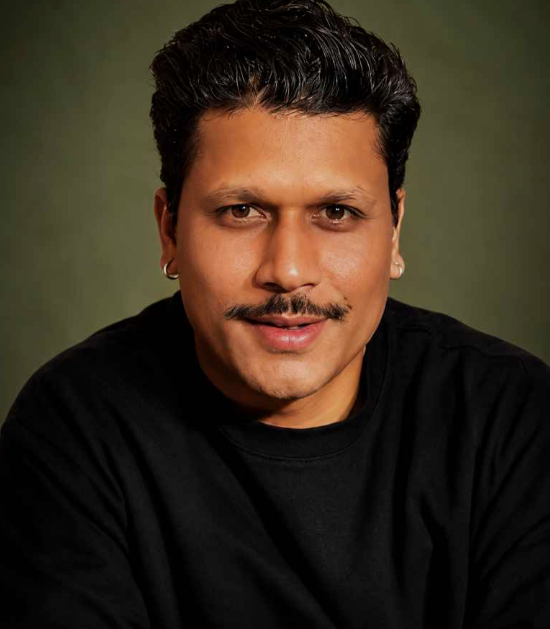
Sujan Pariyar is an international writer. He frequently writes about tech, AI, business, and travel on Silicon Valley Times, NYWeekly, Washington Magazine, Huffpost, Thrive Global and more.


[…] compounds trust over decades. If you are refining a timeless vector emblem today, check out our Recraft V4.1 vs. Ideogram 3.0 vs. Midjourney V8.2 benchmark for crisp vector […]