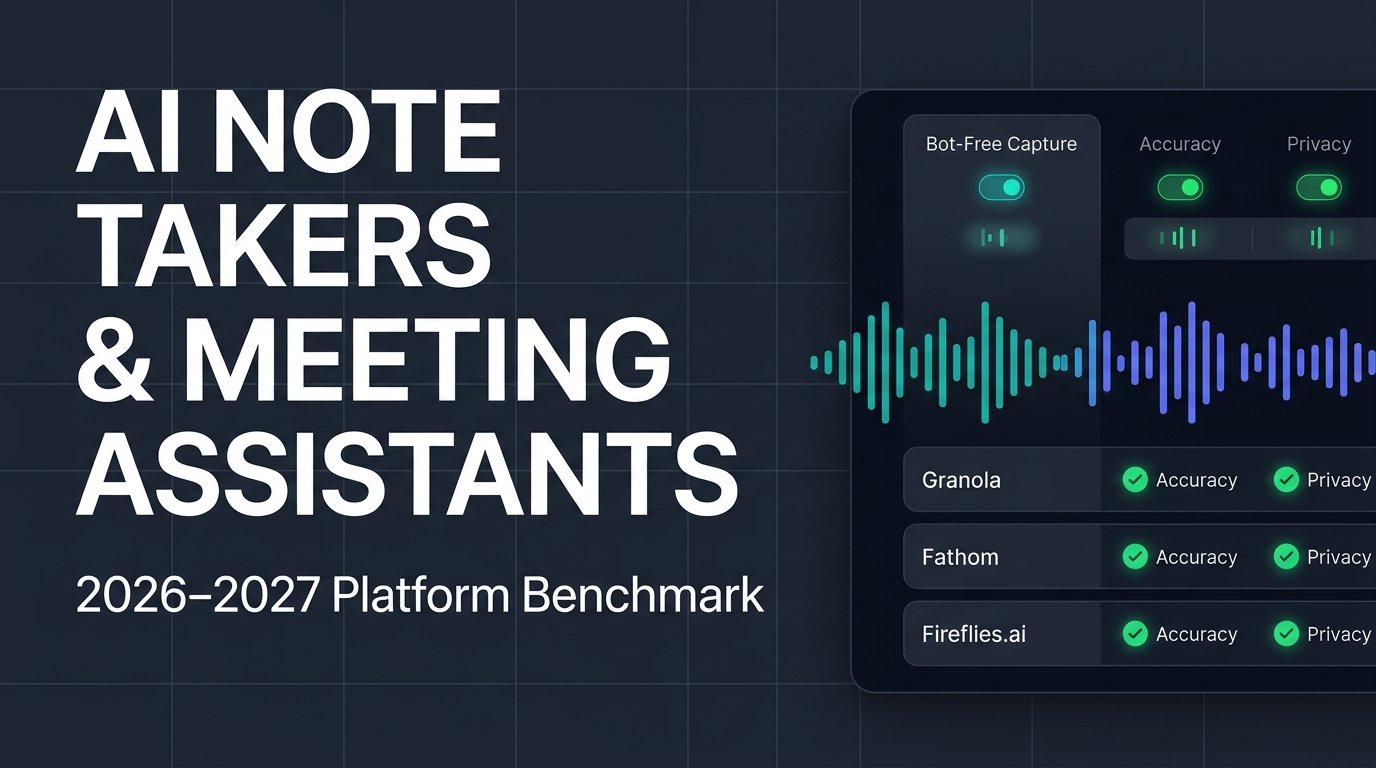
Best AI Note Takers & Meeting Assistants in 2026–2027: 10 Tools Tested for Accuracy, Privacy, and Bot-Free Capture
The market for AI meeting assistants has undergone a fundamental architectural shift. For the past several years, adopting an AI note taker meant accepting an awkward trade-off: to get an automated transcript and summary, you had to allow a third-party software bot to join your Zoom, Google Meet, or Microsoft Teams call as an uninvited participant. In sensitive client pitches, executive hiring interviews, and legal consultations, watching “Fireflies Notetaker” or “OtterPilot” sit silently in the participant list created friction before the conversation even began.
In late 2026, a new generation of bot-free, local-audio AI note takers permanently changed buyer expectations. Instead of injecting a visible cloud bot into video calls, platforms like Granola, Krisp, and Jamie capture system audio directly at the operating-system level on Mac and Windows, combining raw audio transcription with human scratchpad notes. Meanwhile, established enterprise platforms like Fireflies.ai, Fathom, and Avoma have evolved far beyond basic transcription into full-scale revenue intelligence and CRM automation engines.
To help founders, sales leaders, product managers, and remote teams select the right platform for 2027, we conducted an exhaustive evaluation of the top ten AI note takers and meeting assistants. We tested each platform across transcription word error rates (WER), speaker diarization accuracy, bot-free capture reliability, CRM integration depth, enterprise privacy governance, and transparent monthly pricing.
Quick Verdict: Which AI Note Taker Should You Choose?
If you want the fastest recommendation based on your primary workflow constraint, here is how the top platforms separate in 2026–2027:
- Best Bot-Free AI Notepad for Founders & Executives: Granola (Starting at $14/user/month; free Basic plan available) captures system audio locally without joining calls as a bot and blends your rough typed bullet points with AI-structured summaries.
- Best Generous Free Plan & Video Clip Sharing: Fathom (Free forever for unlimited recordings and transcriptions; Paid plans from $15–$16/month) offers the strongest zero-cost entry tier alongside fast CRM syncing.
- Best for High-Volume Team Automation & Searchable Libraries: Fireflies.ai (Free tier up to 800 minutes; Pro from $10/month billed annually) delivers deep workflow triggers, multi-language accuracy across 100+ languages, and cross-meeting AI search.
- Best for Real-Time Live Transcription & Mobile Capture: Otter.ai (Free up to 300 minutes/month; Pro from $8.33/month billed annually) remains the strongest choice for live, scrolling transcripts during lectures, interviews, and in-person meetings.
- Best Bot-Free Audio & Noise Cancellation Combo: Krisp (Starting at $8/month billed annually) pairs industry-leading background noise removal with local, bot-free meeting transcription.
- Best European Privacy-First Bot-Free Assistant: Jamie (Free up to 10 meetings/month; Paid plans from €21–$46/month) processes audio without bots and adheres strictly to European GDPR data protection standards.
- Best for Full-Cycle Revenue & Sales Coaching: Avoma (Starting around $19–$29/user/month) combines meeting notes with deal intelligence, talk-ratio analytics, and automated Salesforce/HubSpot field updates.
Master Comparison Table: Top 10 AI Note Takers (2026–2027)
| Tool Name | Capture Method | Free Plan Limits | Starting Paid Price | Best Use Case | Key Differentiator |
|---|---|---|---|---|---|
| Granola | Bot-free (System audio) | Basic plan (30-day history limit) | $14/user/month | Founders, VCs, product leads | Merges human rough notes with AI transcript context |
| Fathom | Bot or Bot-free desktop mode | Unlimited recordings & transcripts (5 AI summaries/mo) | $15–$16/month (billed annually) | Sales reps & customer success | Unmatched free recording storage & instant CRM sync |
| Fireflies.ai | Cloud bot or Chrome extension | Unlimited transcription (800 mins storage) | $10/user/month (billed annually) | Cross-functional teams & ops | Deepest Zapier, Slack, and CRM workflow automation |
| Otter.ai | Cloud bot & mobile/web mic | 300 mins/month (30-min call cap) | $8.33/user/month (billed annually) | Live interviews, students, journalists | Real-time interactive transcript with live speaker ID |
| Krisp | Bot-free (Virtual audio driver) | 7-day free trial (No permanent free tier) | $8/user/month (billed annually) | Remote workers in noisy spaces | Combines bi-directional noise cancellation with notes |
| Jamie | Bot-free (Native desktop app) | 10 meetings/month (30-min limit) | €21/month (~$23–$46/mo depending on tier) | Privacy-conscious EU & global teams | Works offline/in-person with zero cloud bot footprint |
| Avoma | Cloud bot | 14-day free trial | $19–$29/user/month | B2B sales & revenue teams | Full conversation intelligence & deal risk scoring |
| tl;dv | Cloud bot | 10 free meetings with AI notes | $18–$20/user/month | UX researchers & product teams | Multi-meeting AI insight rollups & video highlight reels |
| Fellow | Optional bot or bot-free | Free tier (Limited AI notes) | $7/user/month (billed annually) | Engineering & management teams | Collaborative pre-meeting agendas & action tracking |
| Notion AI Notes | Bot-free (Built into Notion desktop) | Limited trial (Requires Business plan) | $20/user/month (Notion Business) | Teams already living inside Notion | Zero extra subscription if already on Notion Business |
Bot-Free vs. Cloud-Bot Architecture: Why It Matters in 2027
Before choosing a platform from the table above, buyers must understand the technical divide defining the AI meeting assistant category: bot-based capture versus bot-free local audio capture.
Traditional AI note takers—including Otter.ai, Fireflies.ai, Avoma, and tl;dv—operate primarily via cloud bots. When a calendar invite starts, a headless browser instance dials into your Zoom, Teams, or Google Meet room as an external participant. Because the bot receives discrete audio streams directly from the video conferencing server, speaker identification (diarization) is exceptionally accurate, and the bot can even record your meeting if your laptop is closed or disconnected. However, external bots announce themselves to everyone on the call, occasionally get blocked by enterprise security lobbies, and can make external prospects hesitant to speak candidly.
Bot-free AI note takers—led by Granola, Krisp, Jamie, and Notion AI Meeting Notes—eliminate the extra participant entirely. These applications run natively on macOS or Windows and capture both your microphone input and your computer’s system output audio locally. Because no bot enters the meeting room, these tools work seamlessly across Zoom, Google Meet, Microsoft Teams, Slack Huddles, Discord, WhatsApp desktop calls, and even in-person boardroom conversations. The trade-off is that your computer must remain awake during the meeting, and you must always adhere to local two-party recording consent laws by verbally informing participants when a call is being transcribed.
Deep-Dive Reviews: The 10 Best AI Note Takers Tested
1. Granola — Best Bot-Free AI Notepad for Founders, VCs, and Product Leaders
Granola has rapidly become the breakout favorite across Silicon Valley and tech leadership teams because it reimagines how humans actually take notes. Rather than dumping a 4,000-word wall of unedited transcript text into your inbox after a call, Granola acts as an intelligent notepad that enhances the rough notes you type yourself.
During a meeting, Granola quietly transcribes your Mac or Windows system audio in the background without ever sending a bot into the video call. You jot down brief, messy shorthand notes—such as “budget approved Q1” or “check API rate limits”—and the moment the call ends, Granola uses the full audio transcript to expand your shorthand into clean, structured, context-rich sections.
What makes Granola stand out is note quality and zero social friction. Because you guide the structure with your own bullet points, the AI never misses the specific takeaway you cared about, avoiding the generic fluff that plagues automated summaries. Granola also deletes raw audio files immediately after transcription, appealing to security-conscious executives.
The primary limitation is team collaboration and archive depth on lower tiers. Granola’s free Basic plan limits searchable meeting history to 30 days and excludes advanced CRM integrations. Paid Business plans start at $14 per user per month, making it an easy individual or team upgrade.
2. Fathom — Best Generous Free Plan and Sales CRM Syncing
If you want maximum functionality without paying a monthly subscription immediately, Fathom remains the undisputed value leader in 2026–2027. Fathom’s free tier offers unlimited meeting recordings, unlimited transcriptions, and unlimited storage across Zoom, Google Meet, and Microsoft Teams—a stark contrast to competitors that cap free users at 300 or 800 total minutes.
Beyond its generous free tier, Fathom excels at post-call speed and sales workflow integration. Summaries appear within 30 seconds of hanging up, and users can highlight key moments during a live call with a single click to generate shareable video clips for Slack or Notion. On paid tiers, Fathom automatically populates structured deal fields inside Salesforce, HubSpot, and Close, saving sales reps hours of manual CRM data entry.
Fathom has also expanded its desktop app to support bot-free capture on macOS, giving users flexibility depending on the sensitivity of the call. Note that while recordings are unlimited on the free plan, advanced AI summaries are capped at five per month unless you upgrade. Paid Individual Premium plans start at $16 per month billed annually ($20 monthly), while Team plans start at $15 per user per month.
3. Fireflies.ai — Best for High-Volume Team Automation and Cross-Meeting Search
Fireflies.ai has matured from a simple transcription bot into an enterprise-grade meeting knowledge base and workflow automation hub. For organizations conducting dozens of customer, engineering, and recruiting calls every week, Fireflies turns spoken conversations into structured, searchable company data.
Where Fireflies separates itself from individual-first tools like Granola is AskFred, its cross-meeting AI assistant, alongside deep integration triggers. Product managers can query their entire workspace to ask, “What are the top five feature requests mentioned by enterprise prospects over the last 60 days?” and receive cited answers linked to exact audio timestamps. Fireflies also supports transcription across more than 100 languages with strong dialect recognition and guarantees zero model training on customer data.
While Fireflies relies primarily on a cloud bot (Fred), it offers a Chrome extension for bot-free Google Meet capture. The free tier provides unlimited transcription up to 800 minutes of storage. Paid Pro plans start at $10 per user per month billed annually ($18 monthly), while Business plans with unlimited storage and video recording cost $19 per user per month annually.
4. Otter.ai — Best for Real-Time Live Transcription and In-Person Capture
As one of the original pioneers of AI meeting transcription, Otter.ai remains the gold standard when you need to watch a live, word-for-word transcript scroll across your screen in real time. Journalists, university students, researchers, and accessibility-focused teams rely heavily on Otter’s mobile and web apps to record in-person interviews and lectures where video conferencing bots cannot go.
Otter’s AI Chat allows participants to ask questions mid-meeting—such as catching up on what was discussed during the first ten minutes if they joined late—without interrupting the speaker. Its automated slide capture feature also embeds presentation visuals directly alongside the corresponding spoken transcript.
On the downside, Otter’s free plan is relatively restrictive, capping users at 300 monthly transcription minutes with a strict 30-minute limit per conversation. Paid Pro plans are priced competitively at $8.33 per user per month billed annually ($16.99 monthly), unlocking 1,200 monthly minutes and 90-minute call durations.
5. Krisp — Best Bot-Free AI Note Taker for Noisy Environments
Krisp built its reputation as the industry leader in AI-powered bi-directional noise cancellation—removing barking dogs, coffee shop chatter, and keyboard clicks from calls in real time. Because Krisp already sits at the operating-system audio layer as a virtual microphone and speaker, expanding into bot-free AI meeting notes was a natural evolution.
For remote workers, traveling executives, and customer support agents working in open offices, Krisp solves two problems with one lightweight desktop app. It cleans up audio quality on both ends of the call while simultaneously generating local transcripts, action items, and structured summaries without ever injecting a bot into Zoom, Teams, or Meet.
Krisp no longer offers a permanent free plan for AI notes, providing a 7-day free trial instead. However, its paid Core plan is remarkably affordable at $8 per user per month billed annually ($16 monthly), making it one of the most cost-effective bot-free options available.
6. Jamie — Best Privacy-First Bot-Free Note Taker for European and Regulated Teams
Headquartered in Germany, Jamie was built from the ground up for professionals who refuse to allow third-party bots into confidential meetings and demand strict European GDPR compliance. Jamie runs natively on macOS and Windows, capturing system audio locally and permanently deleting audio recordings once the text summary is generated.
Jamie excels at executive summary quality and offline versatility. Because it does not rely on calendar integrations or video call plugins, you can click “Start” during a spontaneous Slack Huddle, an encrypted Signal call, or an in-person board meeting and receive structured notes, decisions, and action items within minutes. Its sidebar assistant, Executive AI, lets you query past meetings quickly.
Jamie’s free plan includes 10 AI meeting notes per month (up to 30 minutes each). Paid Plus/Pro plans start around €21 to $46 per month depending on billing cycle and meeting duration limits, positioning it as a premium privacy-focused tool.
7. Avoma — Best All-in-One Meeting and Revenue Intelligence Platform
While lightweight note takers serve individual productivity, Avoma is engineered for B2B sales, customer success, and revenue operations teams that need full lifecycle conversation intelligence. Avoma combines automated meeting transcription with pre-meeting agenda templates, live bookmarking, post-call CRM syncing, and AI sales coaching.
Sales managers use Avoma to track rep talk-to-listen ratios, monitor competitor mentions across calls, and identify deal risks automatically. Just as we emphasized in our Best AI SDR Tools & Autonomous Sales Agents benchmark, automating top-of-funnel outreach only converts into revenue when downstream discovery and closing calls are rigorously tracked inside your CRM. Avoma closes that loop by syncing structured MEDDIC or SPICED qualification notes directly into Salesforce and HubSpot.
Pricing starts around $19 to $29 per user per month for core AI meeting assistant plans, scaling up for full revenue intelligence and dialer suites.
8. tl;dv — Best for UX Researchers, Product Discovery, and Video Highlight Reels
tl;dv (Too Long; Didn’t View) focuses heavily on visual storytelling and multi-meeting synthesis, making it a favorite among UX researchers, product managers, and customer onboarding teams. Beyond transcribing calls in over 30 languages, tl;dv makes it effortless to stitch together video highlight reels from multiple customer interviews—allowing product leads to share a two-minute compilation of real users struggling with a checkout flow directly in Slack or Jira.
Its multi-meeting AI reports can automatically scan every customer call tagged “Onboarding” over the past month and generate a consolidated executive brief every Monday morning. tl;dv offers a generous free tier covering 10 meetings with AI notes and video recaps, while paid Pro plans start at $18 to $20 per user per month billed annually.
9. Fellow — Best for Structured Team Agendas and Management Workflows
Most AI note takers treat meetings as isolated audio files. Fellow treats meetings as part of an ongoing management workflow, connecting pre-meeting collaborative agendas, live AI transcription, and persistent action-item tracking across recurring weekly 1-on-1s and leadership syncs.
Fellow supports both bot-based and bot-free capture modes and enforces strict enterprise governance controls—allowing IT administrators to define exactly which external or internal meetings can be recorded. Paid Team plans start at an accessible $7 per user per month billed annually.
10. Notion AI Meeting Notes — Best Zero-Friction Option for Notion Workspaces
If your entire company already runs its documentation, wikis, and project tracking inside Notion, Notion AI Meeting Notes eliminates the need to pay for and manage a separate third-party note-taking subscription. Built directly into the Notion desktop app, the feature captures system audio without a meeting bot and drops structured summaries and action items directly into your existing Notion databases.
The trade-off is lock-in and tier requirements: full access to AI Meeting Notes requires a Notion Business ($20/user/month annually) or Enterprise plan, and it lacks specialized sales CRM integrations compared to Fathom or Avoma.
Emerging AI Note Takers & Open-Source Challengers to Watch
Alongside the ten established leaders above, several specialized platforms are gaining attention heading into 2027:
Meetily: A 100 percent open-source, local-first AI meeting assistant built for developers, healthcare professionals, and legal teams that cannot allow meeting audio or transcripts to touch external cloud servers.
Read AI: An analytics-heavy meeting copilot that scores participant engagement, sentiment, and speaking pace across video calls while generating automated follow-up recaps.
Notta: A strong bilingual transcription and real-time translation platform popular among international teams conducting cross-border calls in English, Japanese, Spanish, and Mandarin.
(Editorial Note: We update this software benchmark monthly as AI transcription models, bot-free capture capabilities, and enterprise pricing plans evolve. Building an AI note taker or meeting intelligence platform and want your 2027 product updates tested for our next revision? Send product specs and demo access to our editorial desk via our Contact page.)
4 Critical Buying Rules Before Rolling Out an AI Note Taker in 2027
As we documented in our Gartner and McKinsey 2027 AI Spending ROI Report, enterprises frequently waste thousands of dollars on overlapping AI software licenses because teams buy tools bottom-up without governance or workflow alignment. Follow four practical rules before standardizing your team’s meeting stack.
Audit Your Data Training and Retention Policies
Not all free AI note takers treat privacy equally. Several consumer-oriented platforms reserve the right to train shared machine learning models on de-identified meeting transcripts unless you upgrade to an Enterprise tier or manually opt out. Always verify that your chosen vendor offers SOC 2 Type II compliance, zero-data-retention API agreements with LLM providers, and automatic audio deletion after transcription.
Standardize on One Primary Capture Method
Nothing creates meeting fatigue faster than three different sales reps joining the same client call with three different AI bots. Establish a clear company policy: either deploy a centralized workspace tool like Fireflies or Avoma that consolidates notes into one shared library, or equip client-facing leaders with a bot-free notepad like Granola or Krisp.
Check Native Suite Overlap First
Before purchasing standalone licenses for every employee, evaluate whether your existing productivity suite already covers basic internal note-taking. Teams heavily invested in Google Workspace with Gemini, Microsoft 365 Copilot, or Zoom AI Companion may already have native summary capabilities included in their current licenses—a cost-consolidation pattern we highlighted in our AI Predictions for 2027 guide as organizations rationalize redundant AI subscriptions.
Connect Meeting Insights to Downstream Discovery
Meeting transcripts contain goldmines of unfiltered customer language—the exact phrasing buyers use when describing pain points and evaluating competitors. Forward-thinking marketing teams feed anonymized customer call themes into their content and search strategy, pairing customer insights with platforms from our Best AI Visibility & GEO Tools in 2026–2027 guide to ensure their brand answers the exact questions prospects ask inside ChatGPT and Google AI Overviews.
Frequently Asked Questions
What is the best bot-free AI note taker in 2026–2027?
Granola is the best overall bot-free AI note taker for founders, executives, and product teams because it captures system audio locally on Mac and Windows without joining calls as a participant and blends your rough manual notes with AI summaries. Krisp ($8/month) and Jamie (€21/month) are the top alternatives if you prioritize background noise cancellation or strict European GDPR hosting.
Which AI meeting assistant has the best free plan?
Fathom offers the most generous free plan on the market, providing unlimited meeting recordings, unlimited transcriptions, and unlimited storage at $0 per month, with paid upgrades starting at $15 to $16 per month for unlimited AI summaries and CRM syncing.
Are AI note takers legal to use on client calls?
Yes, provided you comply with applicable recording consent laws. In one-party consent jurisdictions, you can legally record calls you participate in, whereas two-party (or all-party) consent states like California require notifying all participants before recording or transcribing. Using a visible bot or verbally stating at the start of a call that you are using an AI note taker ensures transparency and legal compliance.
What is the difference between Granola and Fireflies.ai?
Granola is a bot-free, individual-first AI notepad that runs locally on your computer and enhances notes you type during a meeting. Fireflies.ai is a team-oriented meeting intelligence platform that uses a cloud bot (or Chrome extension) to build a shared, searchable archive of company calls with deep Slack, Zapier, and CRM workflow integrations.
Do AI note takers work for in-person meetings?
Yes. Tools with native mobile apps or local microphone capture—including Otter.ai, Granola (via iPhone/Mac), Jamie, and Fireflies.ai—can record and transcribe in-person boardroom meetings, conferences, and coffee-shop interviews without requiring a video conference link.

Sujan Pariyar is an international writer. He frequently writes about tech, AI, business, and travel on Silicon Valley Times, NYWeekly, Washington Magazine, Huffpost, Thrive Global and more.




Be First to Comment